Project
Auto Marketplace
A white-label marketplace for used cars and motorcycles: a public site, a back office and a mobile app on one API. Try the live demo.
Overview
Auto Marketplace is a complete platform for selling used cars and motorcycles online. Buyers search, compare and contact sellers; private sellers and dealers publish listings with photos; a moderation team keeps the catalogue honest from a back office. A public website, a back office and a mobile app all work on one API, and the same installation can run several branded storefronts, each with its own colours, domain and dealers.
Try the live demo
The demo runs the production build with invented data: fictional dealers, sellers and listings, and photographs from Wikimedia Commons. Anything you change is put back every night at 03:00 UTC. Emails and push notifications are switched off, and settings and staff management are locked.
Demo access
- Website
- auto.shinkarenko.eu
- Buyer login
[email protected]- Dealer login
[email protected]- Private seller login
[email protected]- Android app
- Download the APK (25 MB)
- Back office
- auto-admin.shinkarenko.eu
- Administrator login
[email protected]- Password
AutoMarketplace-Demo-2026
The buyer saves favourites and searches and messages sellers. The dealer publishes and manages listings, answers enquiries and looks after the storefront; the private seller sells their own car. The administrator moderates listings, handles reports and looks through users, dealers and the catalogue.
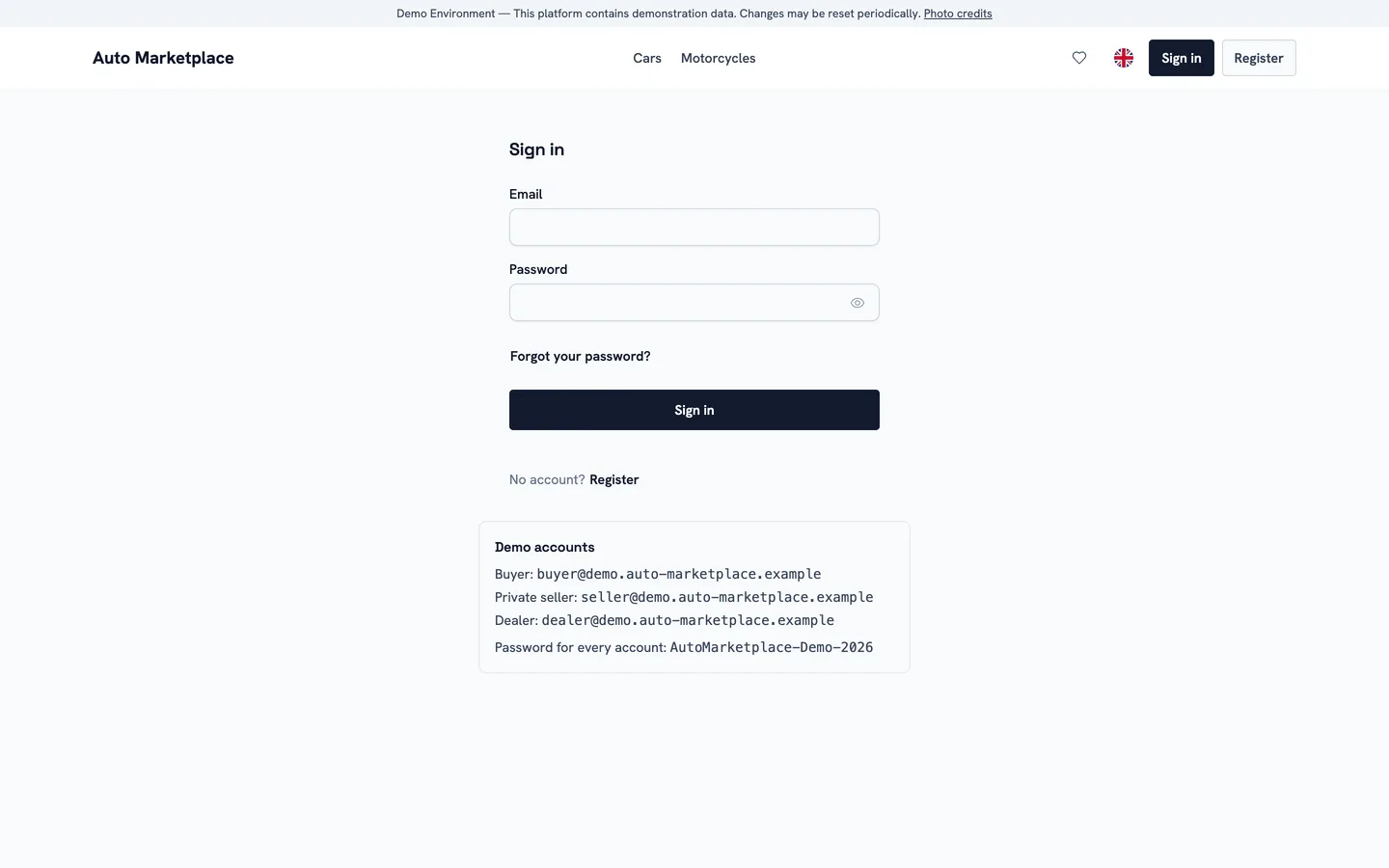
The sign-in page lists the demo accounts
Finding a car
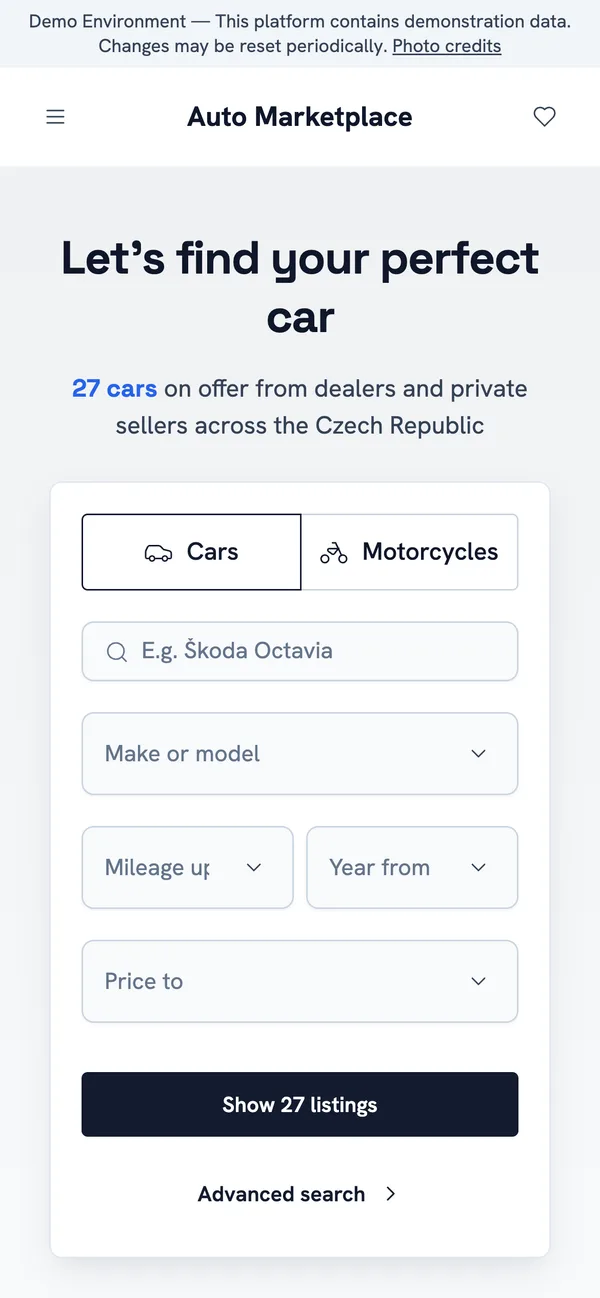
The home page opens on a search panel: category, make and model, mileage, year and price, with the number of matching listings updated as the fields are filled in. Below it come popular makes, body types and the latest listings. The site opens in the visitor’s browser language when it offers that language, and in English otherwise.
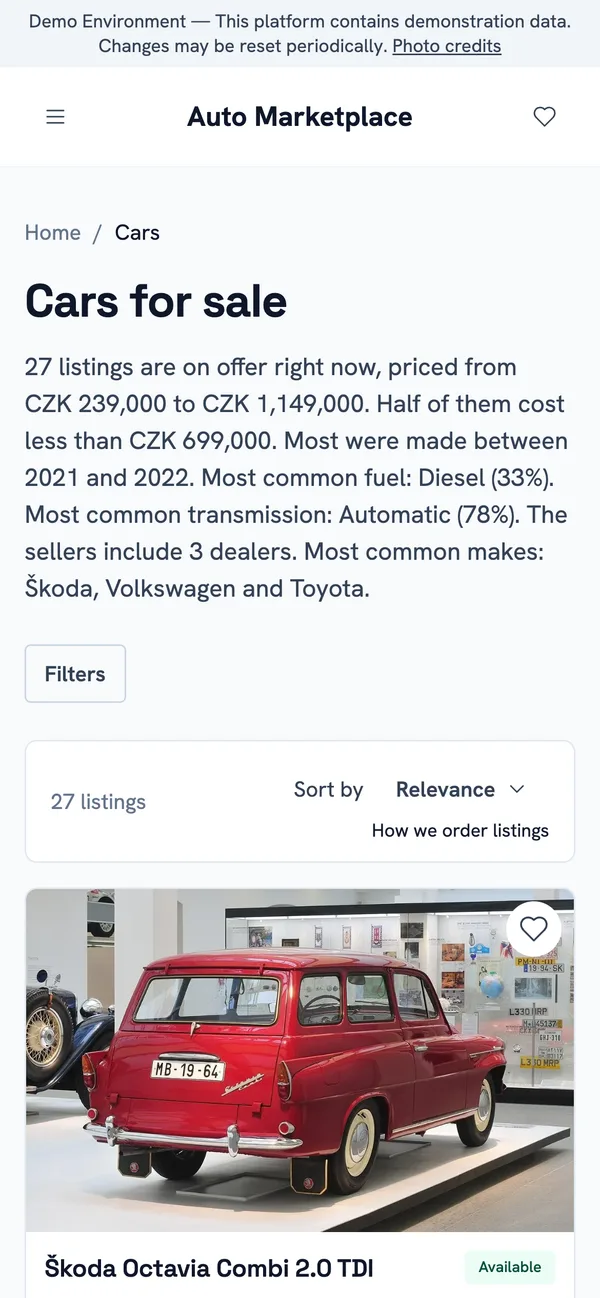
- The catalogue filters by make, model, region, price, year, mileage, fuel, transmission and body type, with the number of cars for each option.
- Every combination of filters has one clean address, so a search can be shared, bookmarked and found by search engines.
- Cards show the photo, the key figures, the price, the town and whether the seller is a private person or a trader. Paid placement is labelled as sponsored.
- Favourites, recently viewed cars and saved searches that alert the buyer when new matching cars appear.
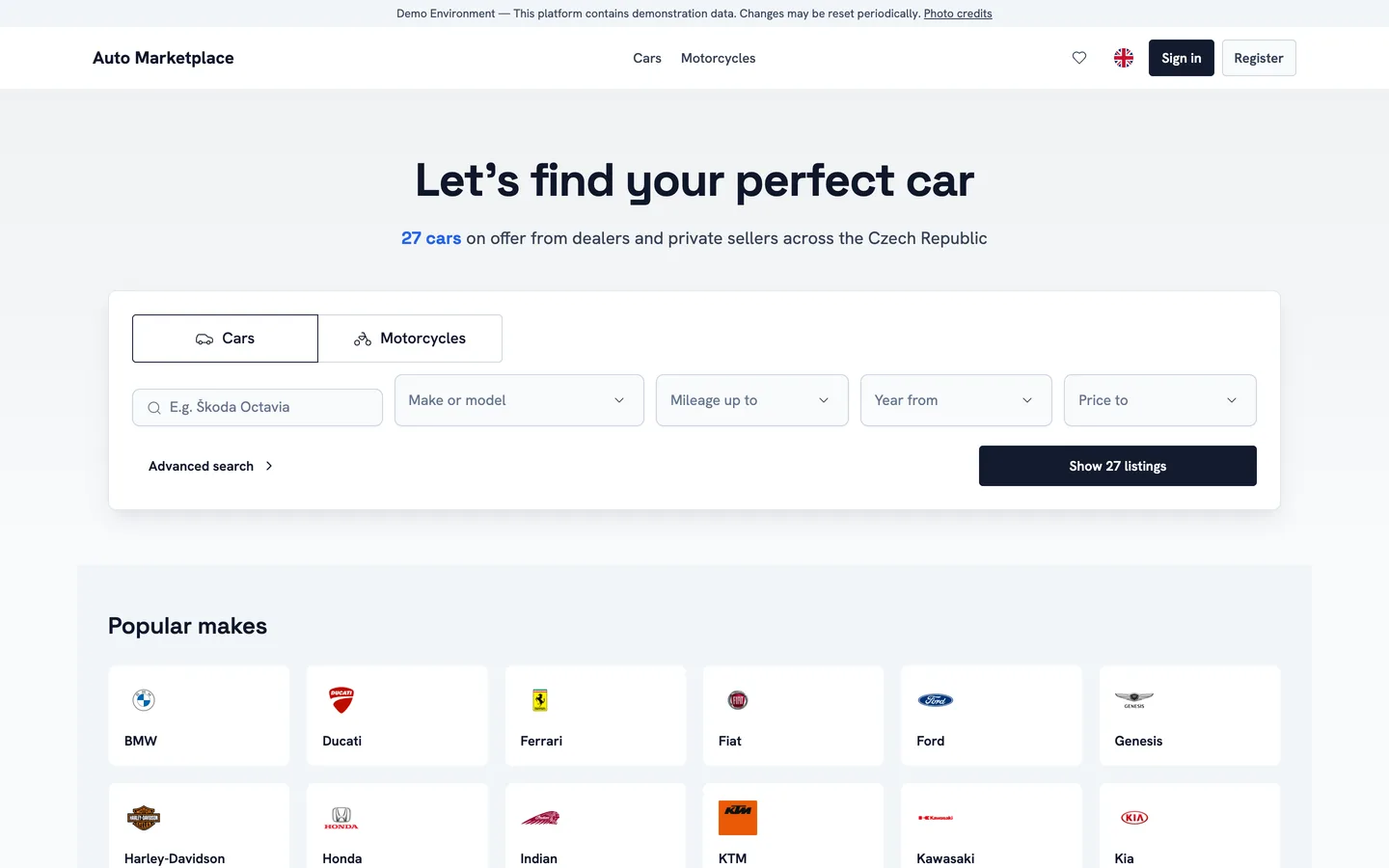
Home page
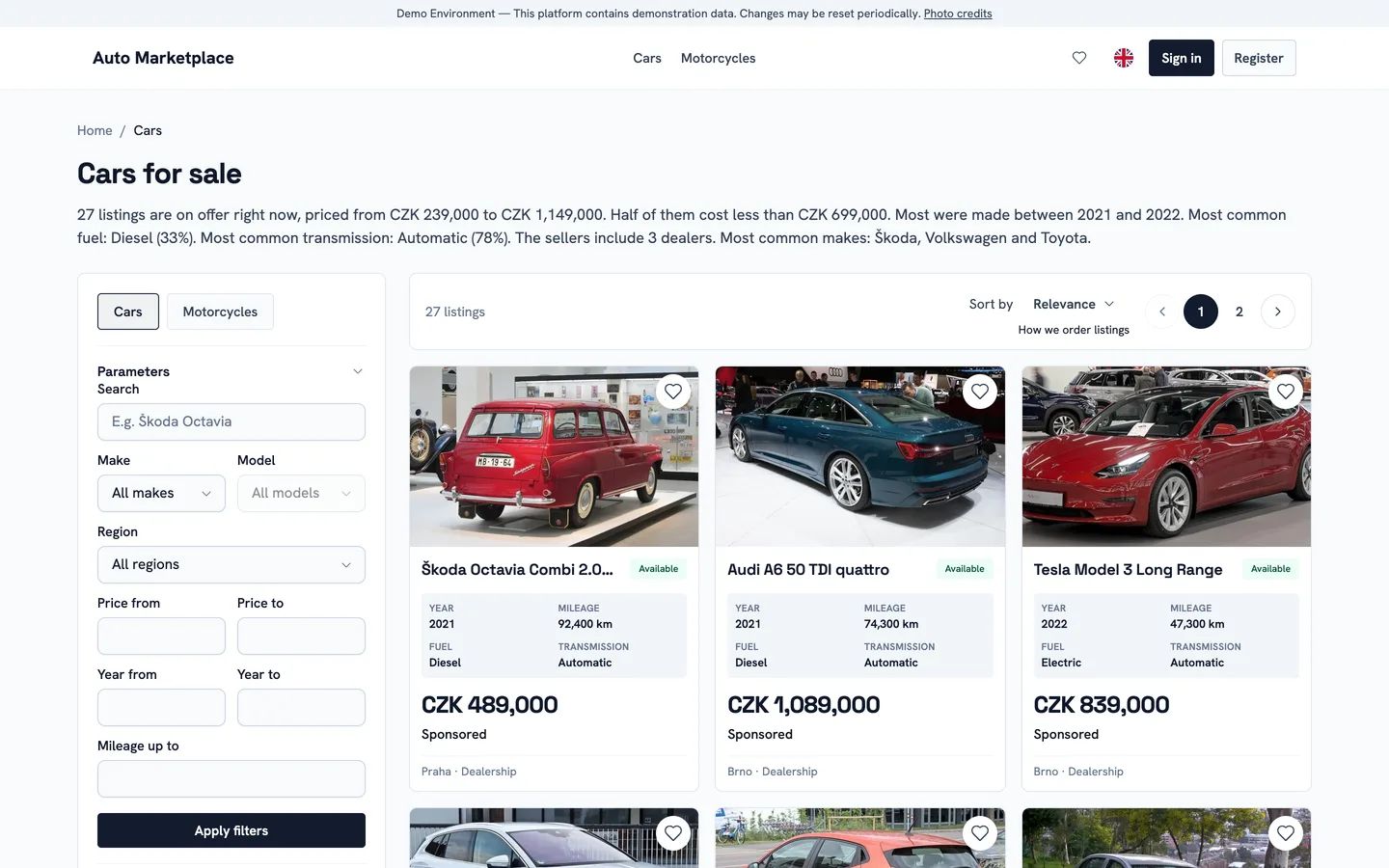
Catalogue with filters
A listing
A listing page has everything a buyer decides on: the photo gallery, the price and its history, the key figures as tiles, all specifications, the seller’s description and the seller. It tells the buyer whether the sale is by a trader, which decides whether consumer rights apply.
- Car Score rates the car from 0 to 100 from its annual mileage and the seller’s declared accident history, with a published methodology and the confidence of the result.
- A map of the town from OpenStreetMap, drawn by the server, so the buyer’s browser never contacts a map provider.
- The seller’s phone number is shown only on request, which is rate-limited and recorded, and never appears in the page source.
- Messaging the seller, reporting the listing, and similar cars from the same catalogue.
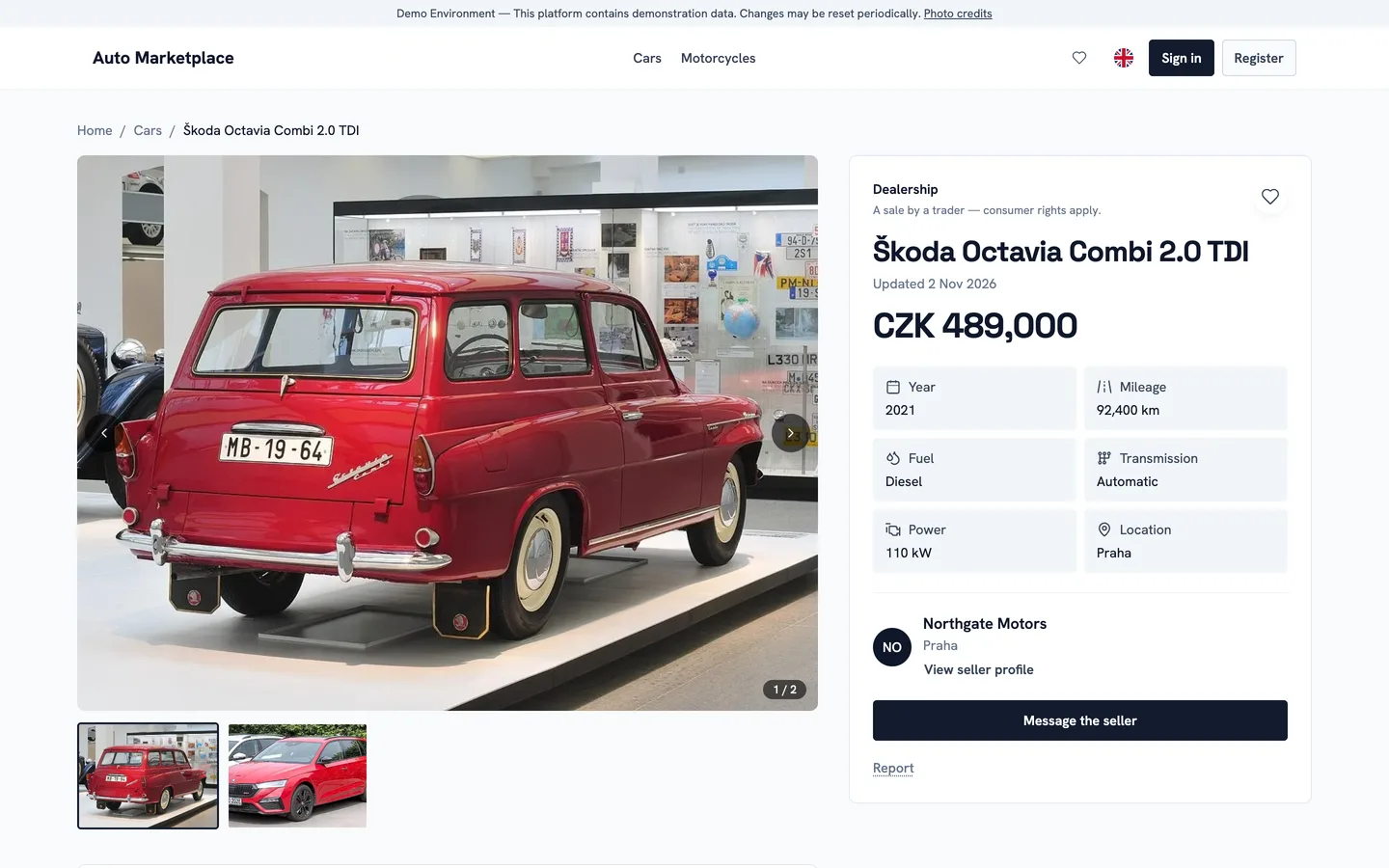
Listing
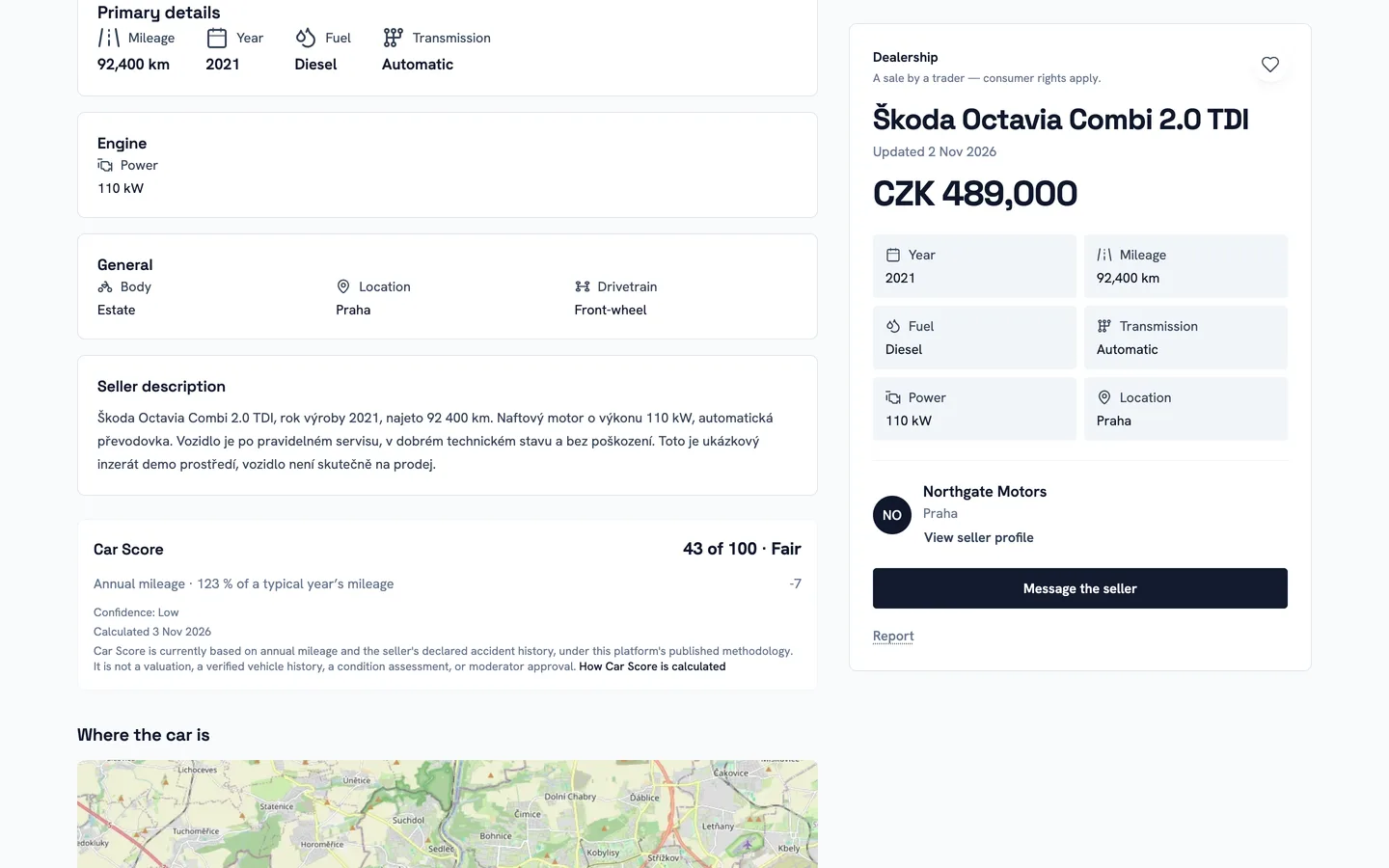
Car Score and the map
Selling a car
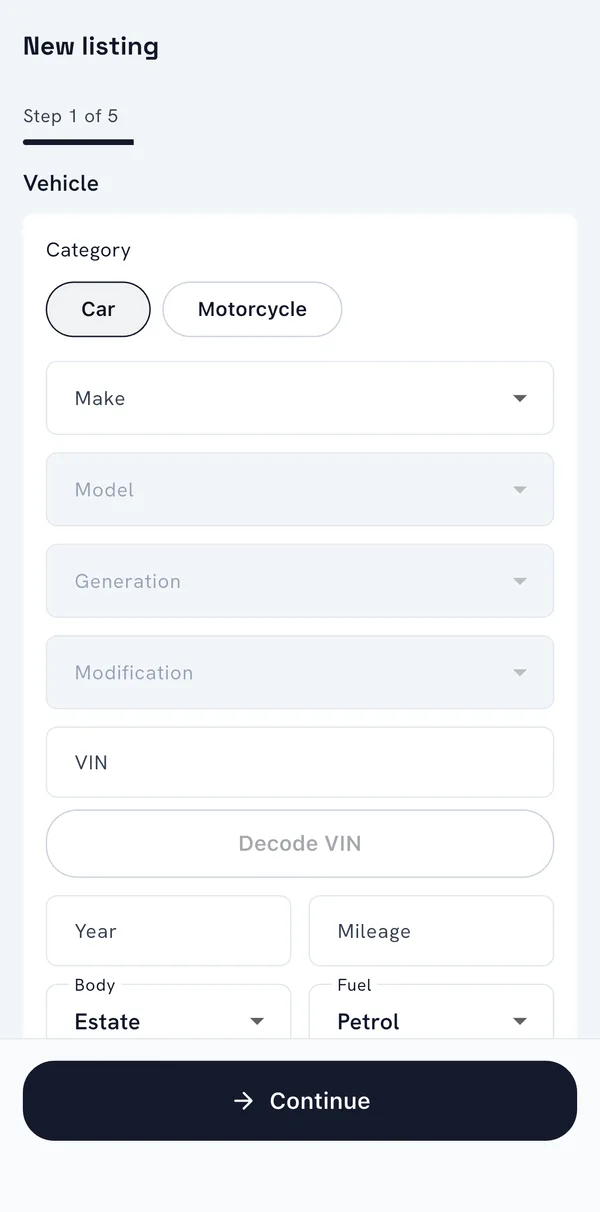
A seller creates a listing in four steps: the vehicle, the price and location, photos, and the description. The vehicle step picks the make and model from the catalogue, and can fill in details from the VIN.
- Photos are uploaded straight to storage and turned into several sizes in modern formats by background workers.
- The description step can draft the text or rewrite the seller’s own words with an AI model, and a reader can have a listing translated into their language, within the budget and limits the operator sets.
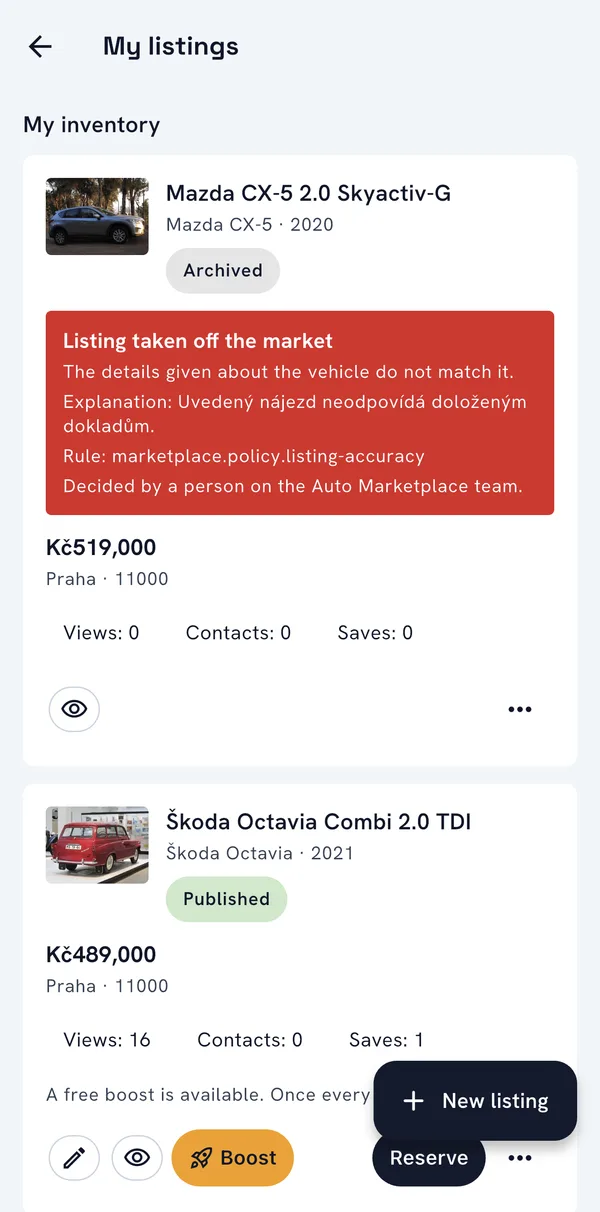
- My listings shows views, contacts and saves for each car, and lets the seller edit, reserve, mark as sold, withdraw, duplicate or boost it.
- When moderation takes a listing down, the seller sees why, under which rule, and whether a person or the system decided.
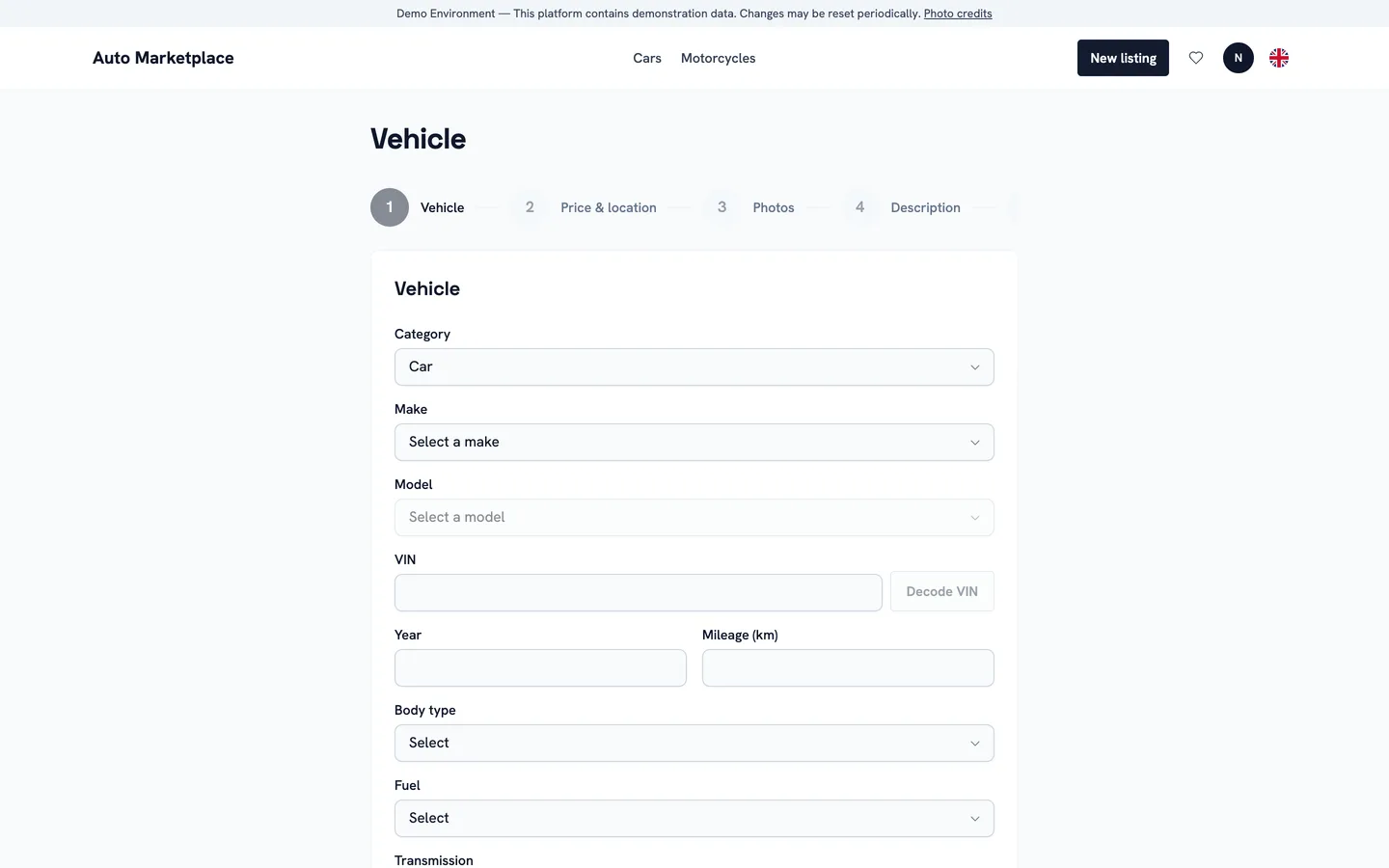
Creating a listing
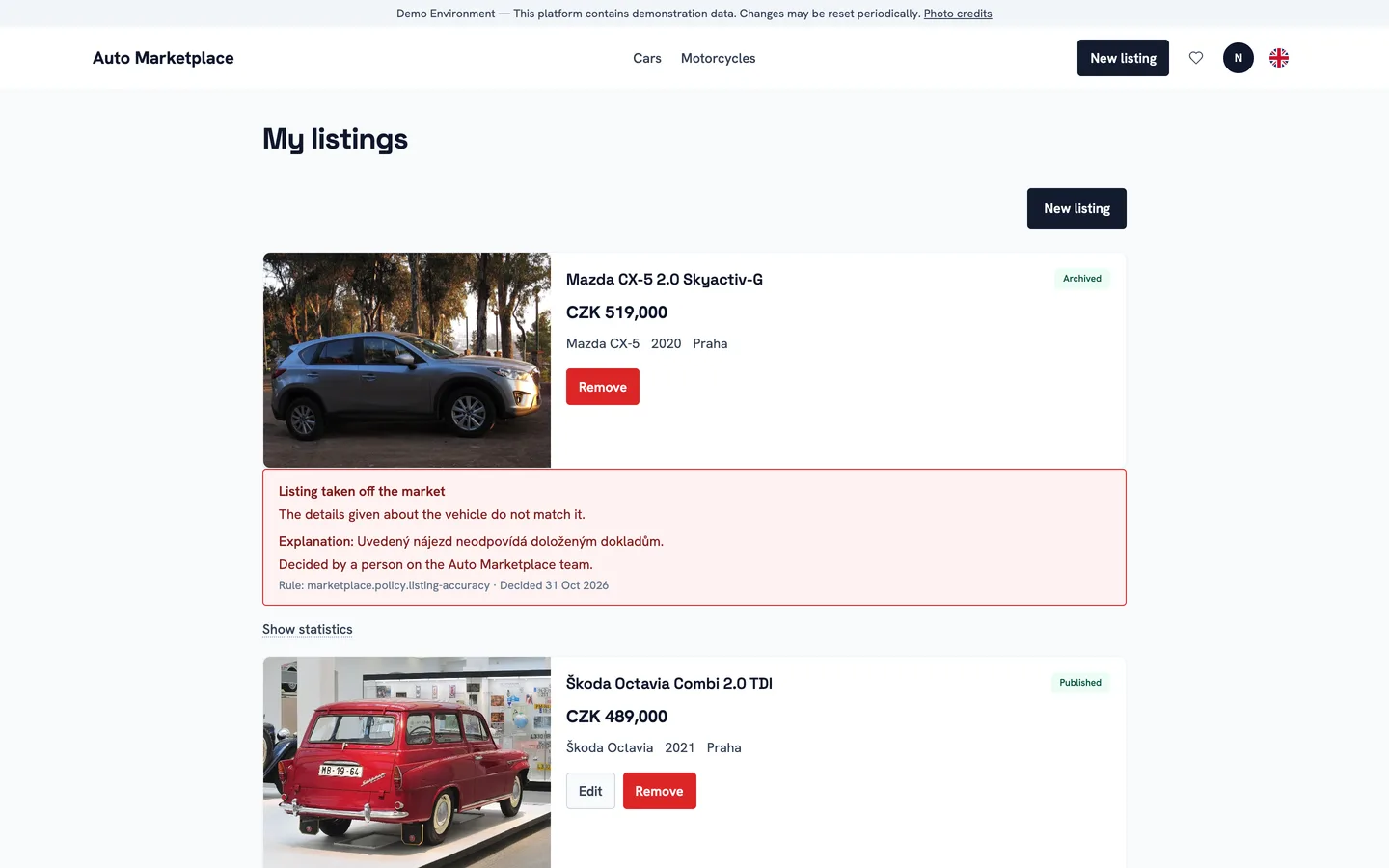
A seller’s listings
For dealers
A dealership has a public storefront with its verified company details, contacts and every car on offer. Its staff work in a dealer portal: an overview of the stock by state, views and enquiries, and an enquiry inbox.
- Enquiries from buyers arrive in one inbox, can be assigned to a colleague and move through new, contacted, qualified, negotiation, converted or lost.
- Appointments for viewings and test drives, with reminders, and a history of what each buyer looked at.
- Staff are invited by email and given a role, and a dealer can run several locations.
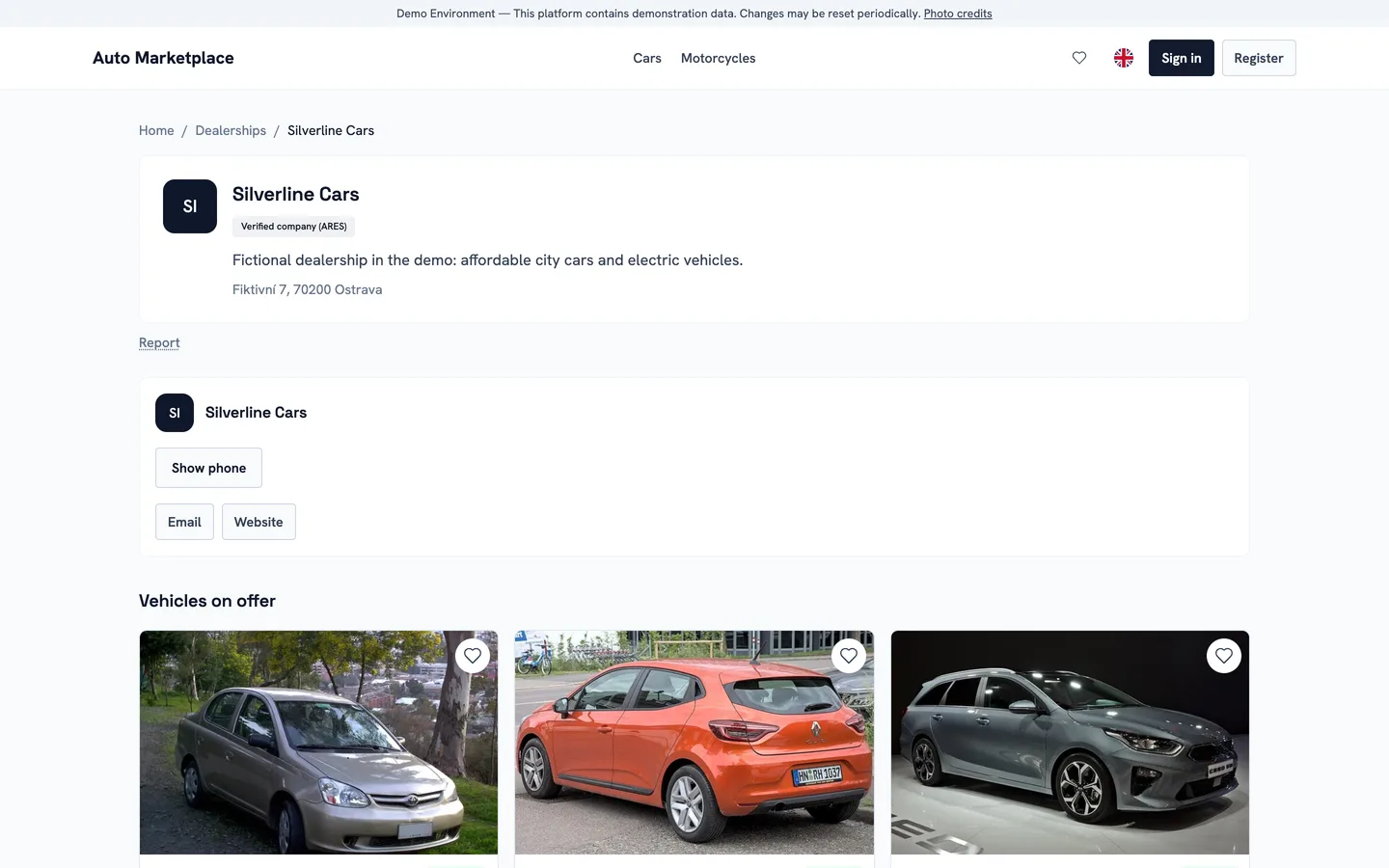
Dealer storefront
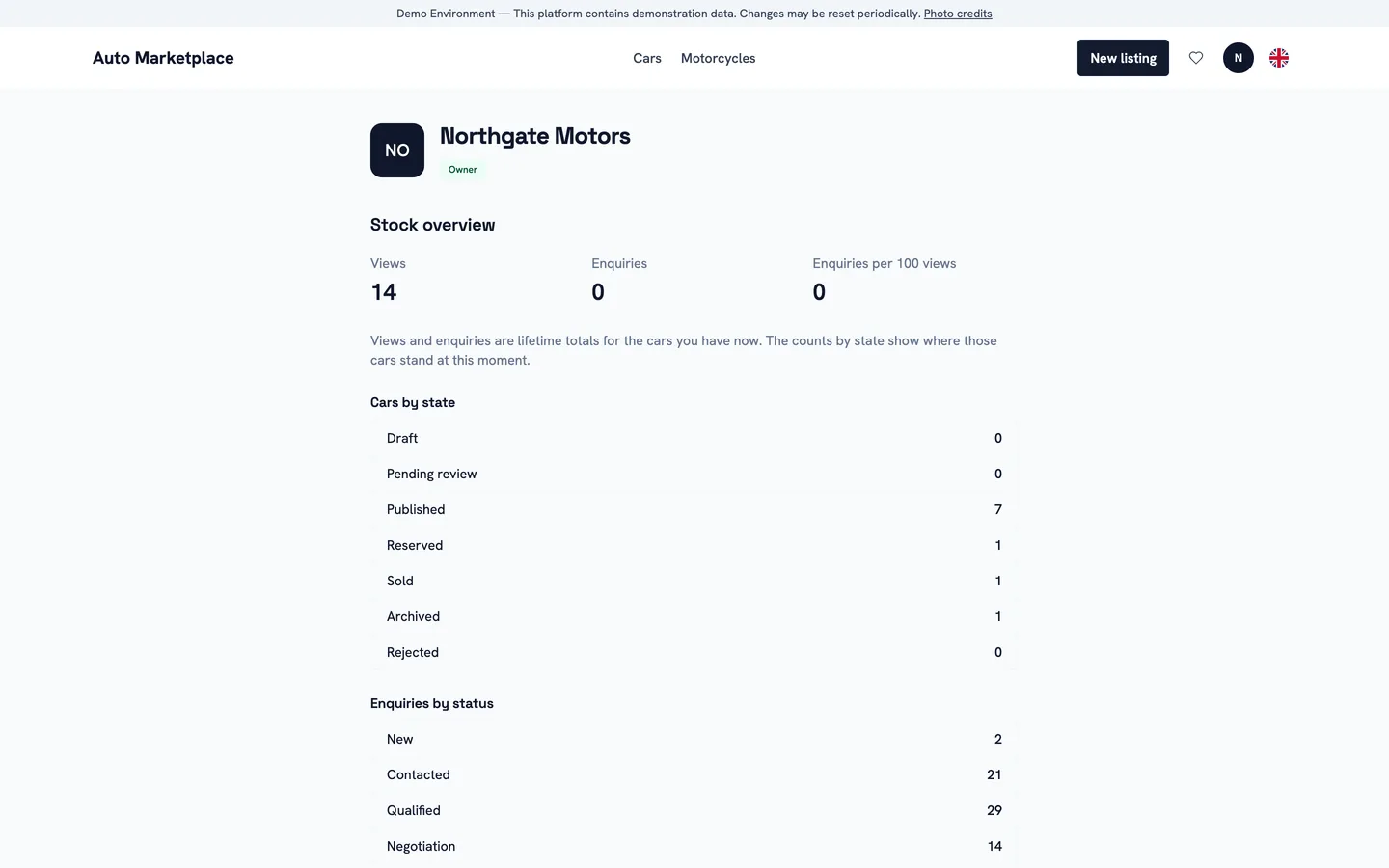
Dealer portal
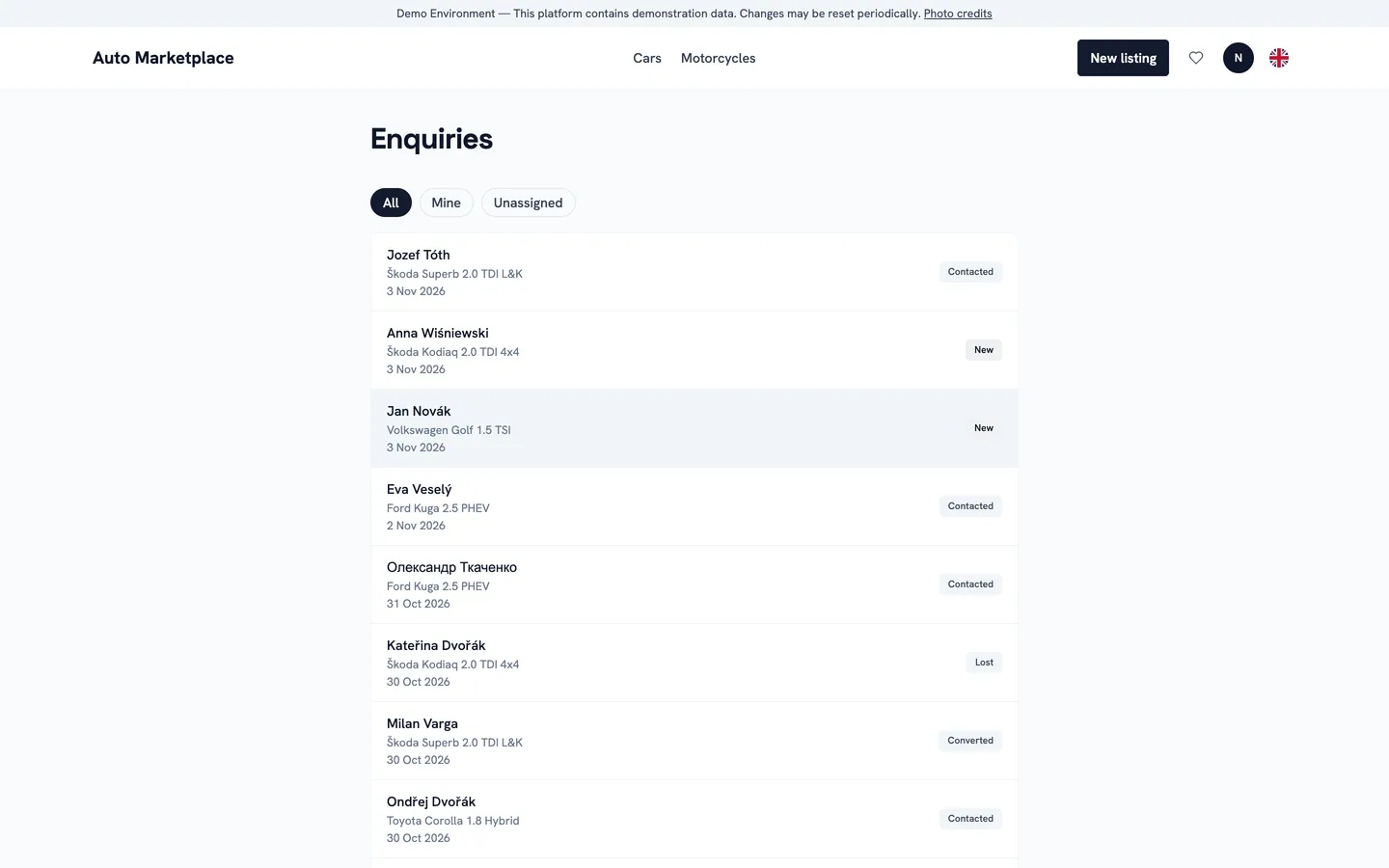
Enquiries
Back office
The back office is where the platform is run. The dashboard shows the work waiting and the platform’s activity over time, and every section is opened only to the roles allowed to use it.
- Moderation before or after publication. Each card shows the photos, the VIN check, the text and what changed since a previous rejection, and flags text that points buyers away from the platform. Rejecting needs a reason code and an explanation the seller will read.
- Reports from buyers about listings, users and messages, taken into review and resolved, and verification of traders who claim to be a company.
- The inventory of every listing with filters, users and dealers, deleted vehicles, the vehicle catalogue of makes and models, and support requests.
- The Car Score methodology, AI providers, use cases, prompts, usage and budget, feature switches and rate limits.
- Staff accounts with roles and permissions, a second factor for staff, and an audit log of every critical action: who, what, when and from where.
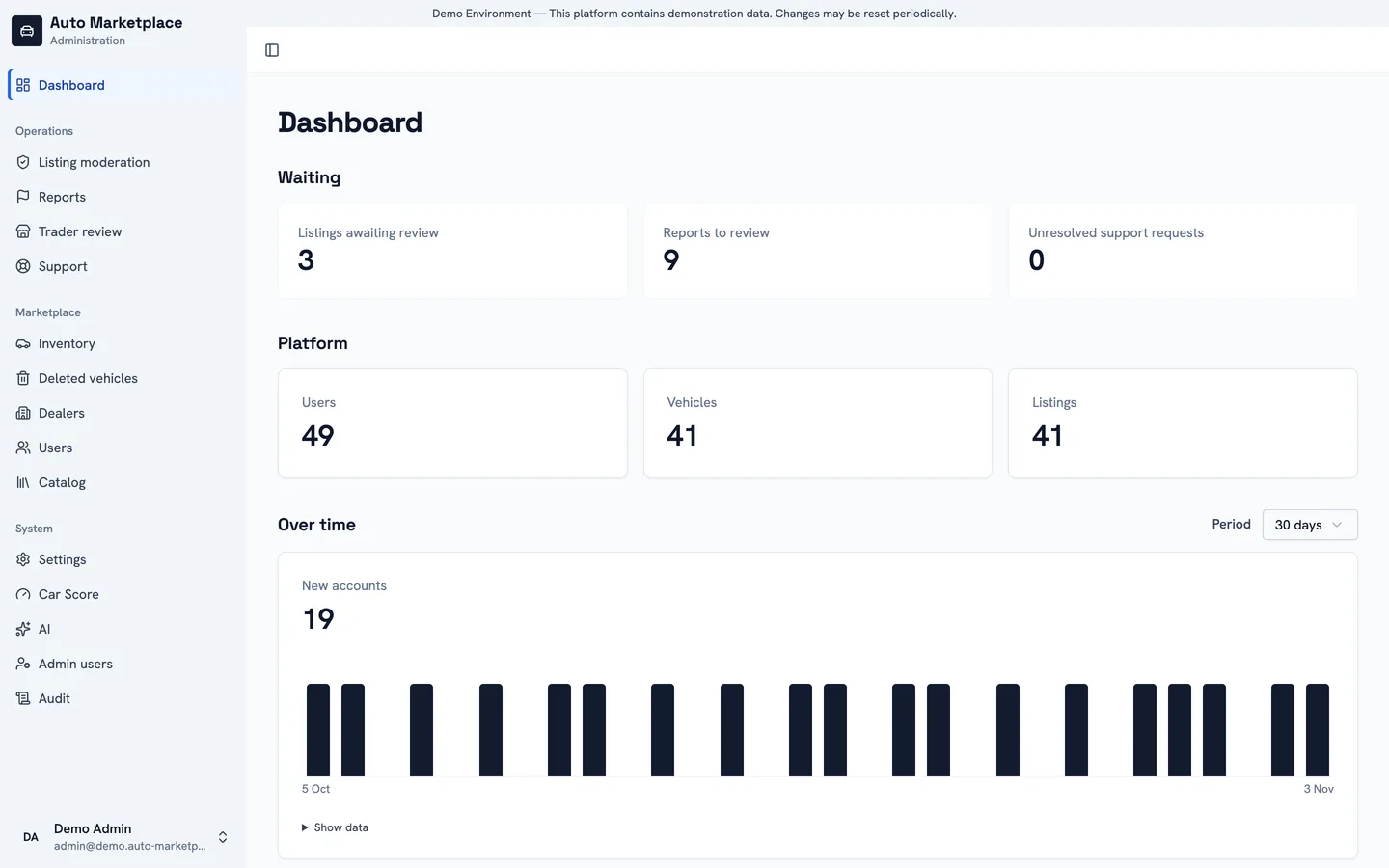
Dashboard
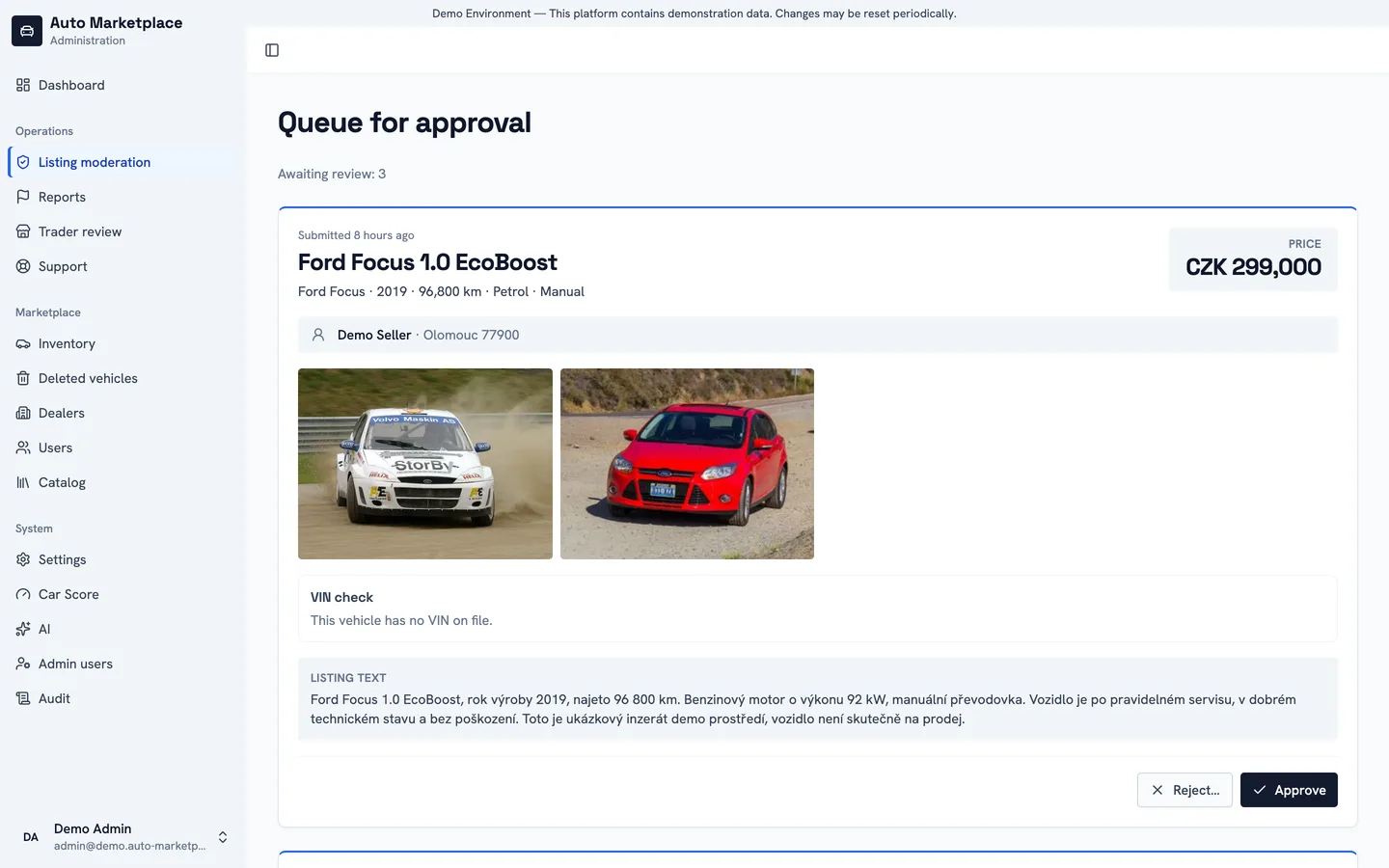
Moderation queue
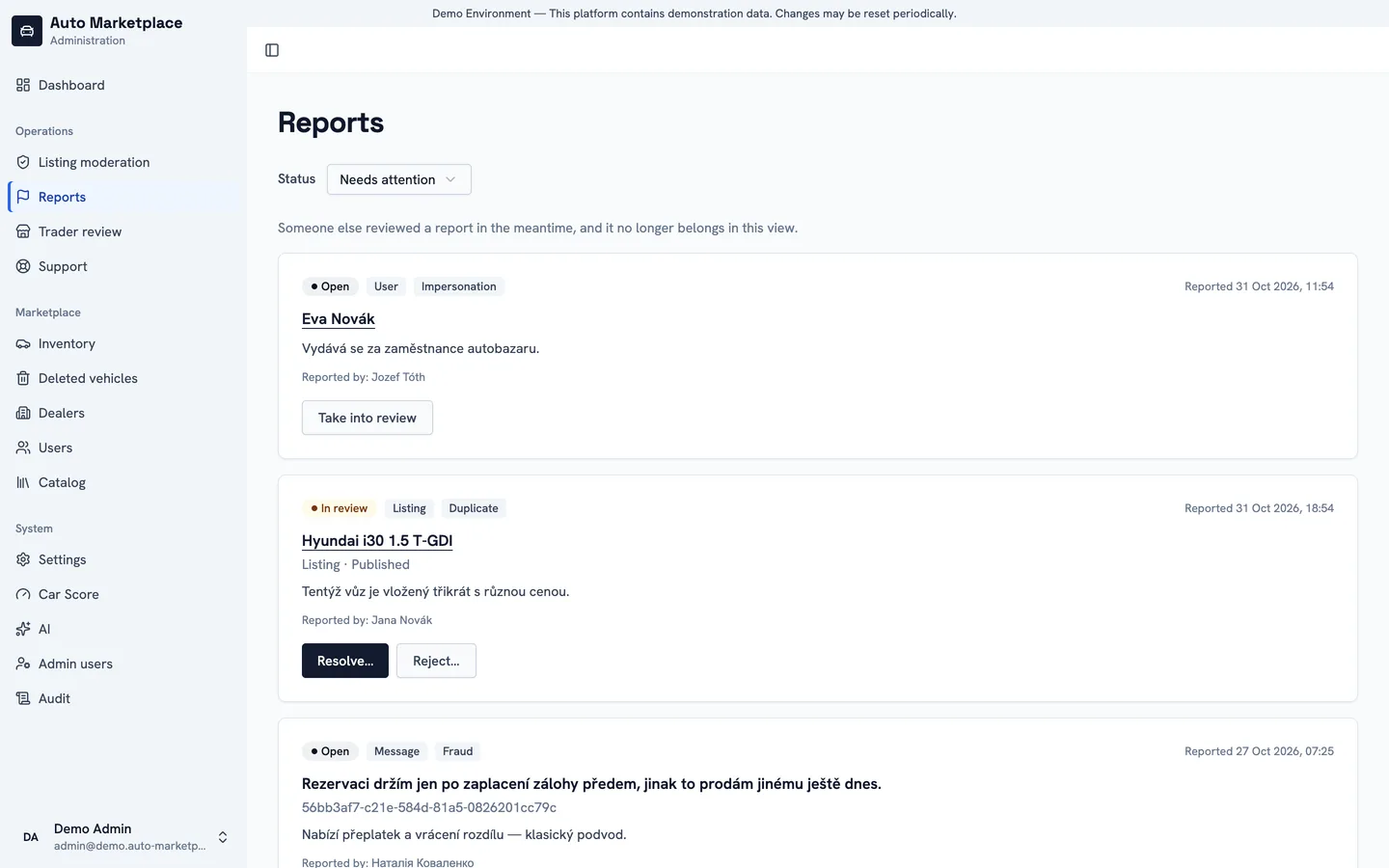
Reports
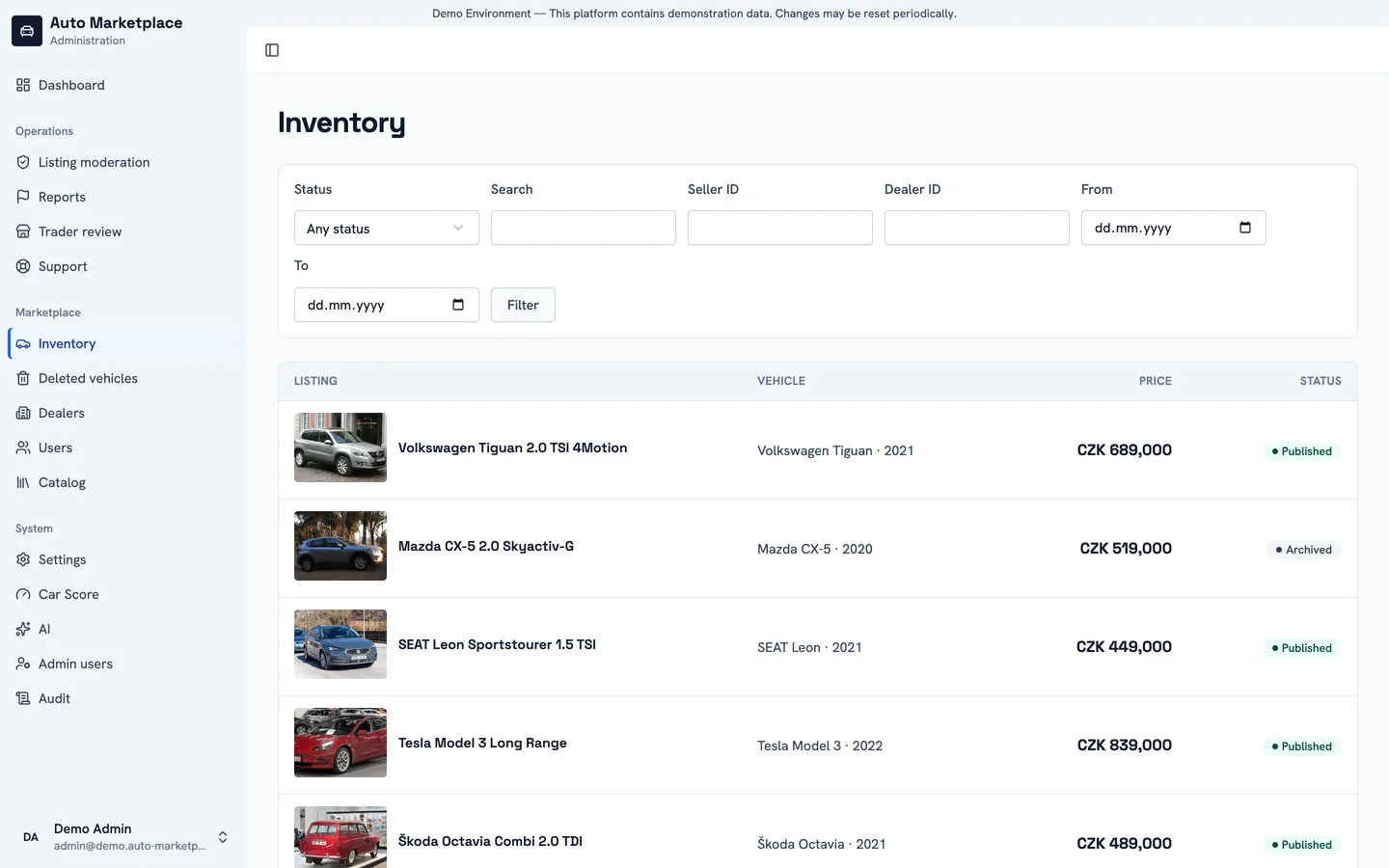
Inventory
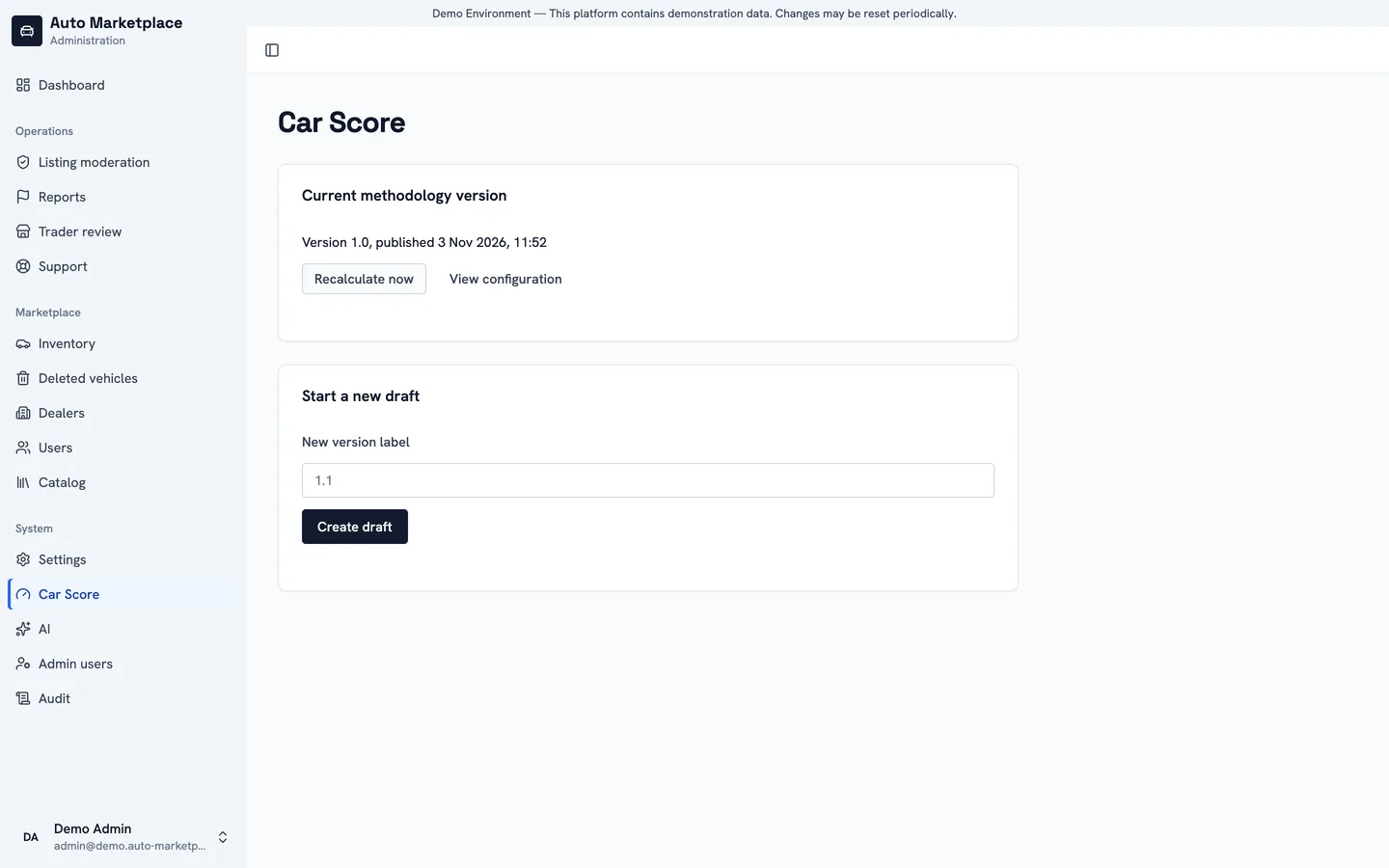
Car Score
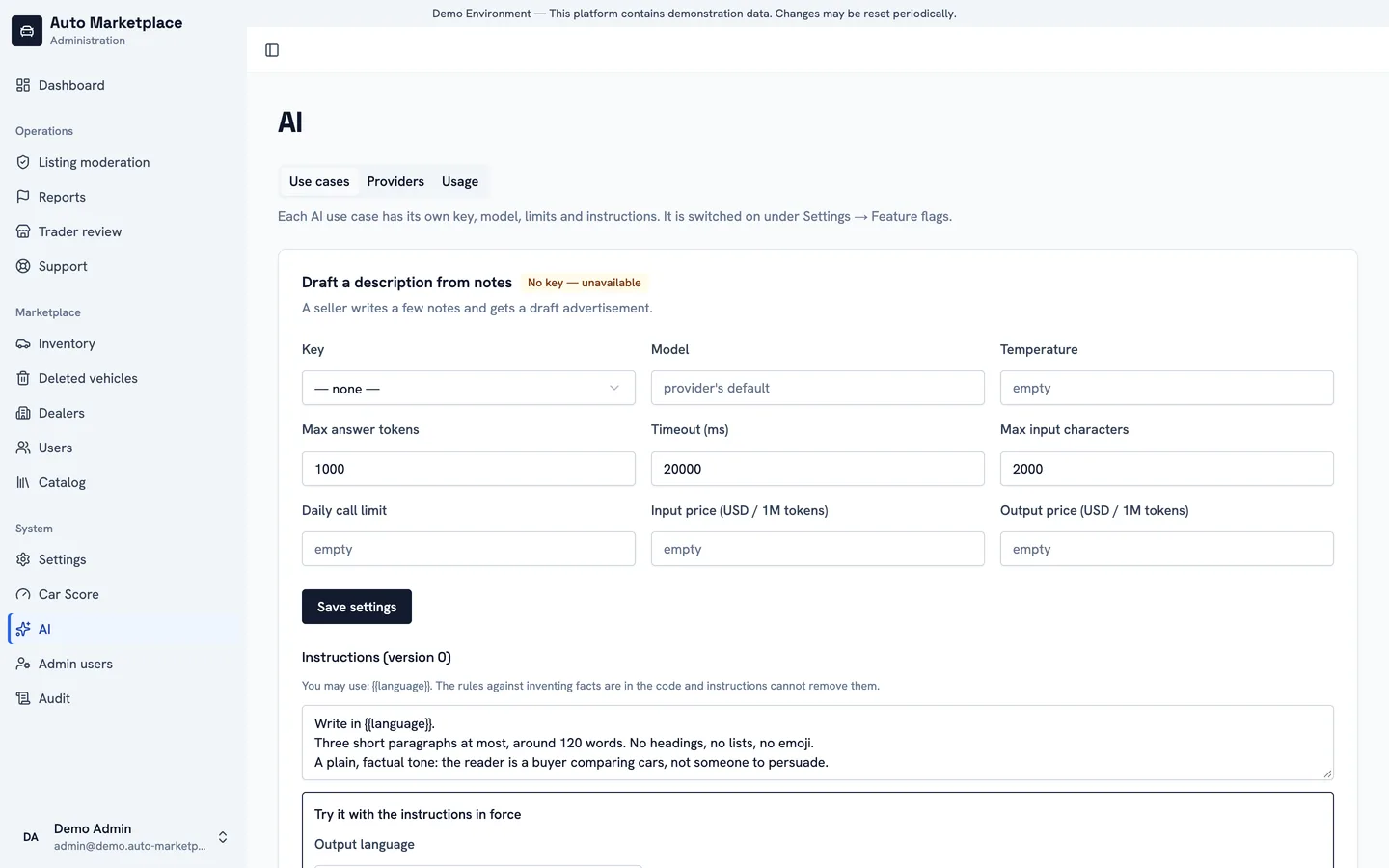
AI
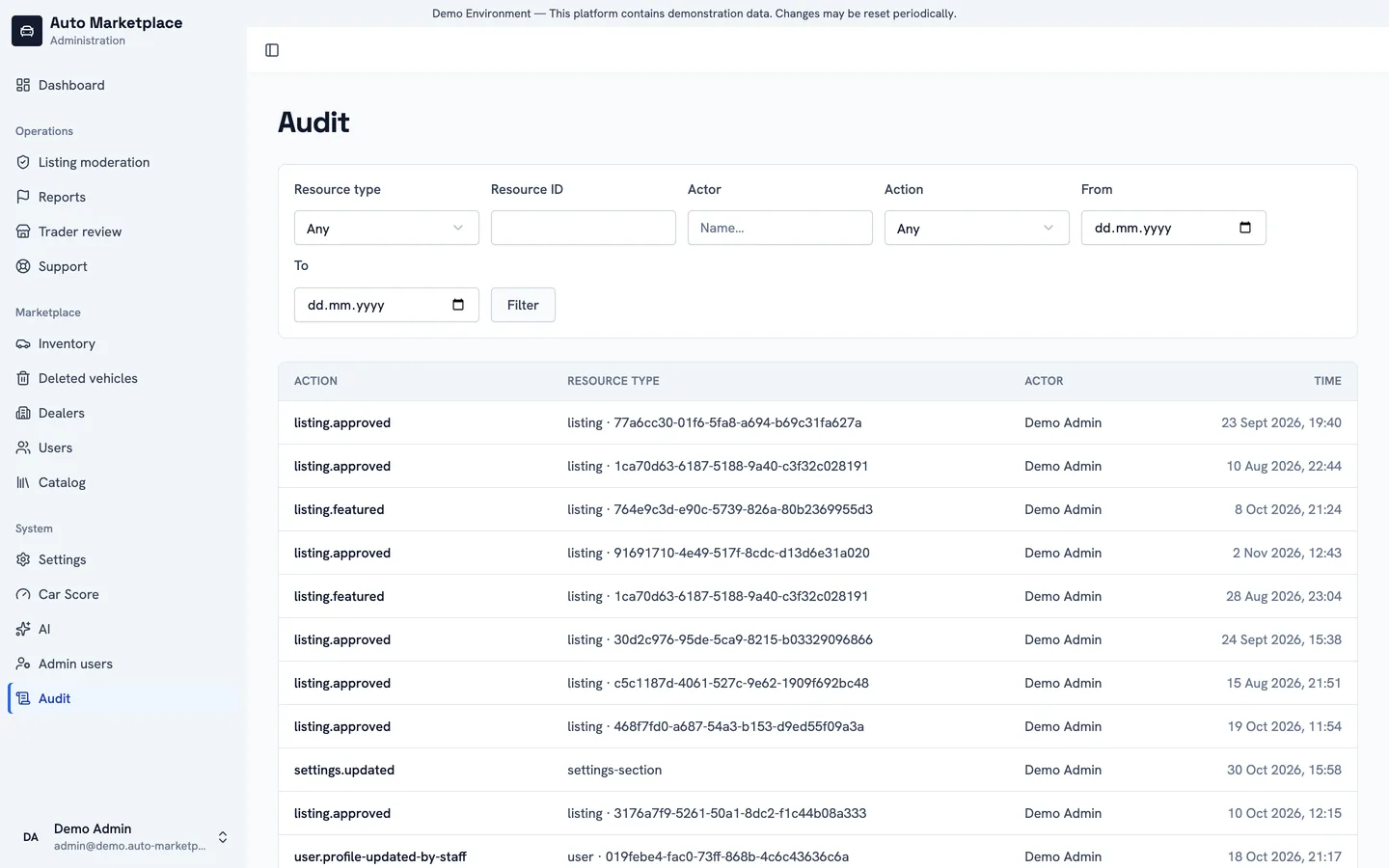
Audit log
Mobile app
The Flutter app for iOS and Android covers the buyer and the seller: search with the same filters, listings, dealers, favourites, messages, notifications and the seller’s own listings with their statistics, in the same five languages as the website.
The Android build connects to the live demo and signs in with the same accounts. It needs Android 7 or newer on a 64-bit phone. It is installed from the file rather than from Google Play, so Android asks once to allow installs from the browser.
Android app
- Download
- auto-marketplace-1.0.0-arm64.apk
- Version
1.0.0- SHA-256
8f4236ae16e7fb09d25a9a602eacfbb9ae8a75227fc14c073e7871be2fff351a
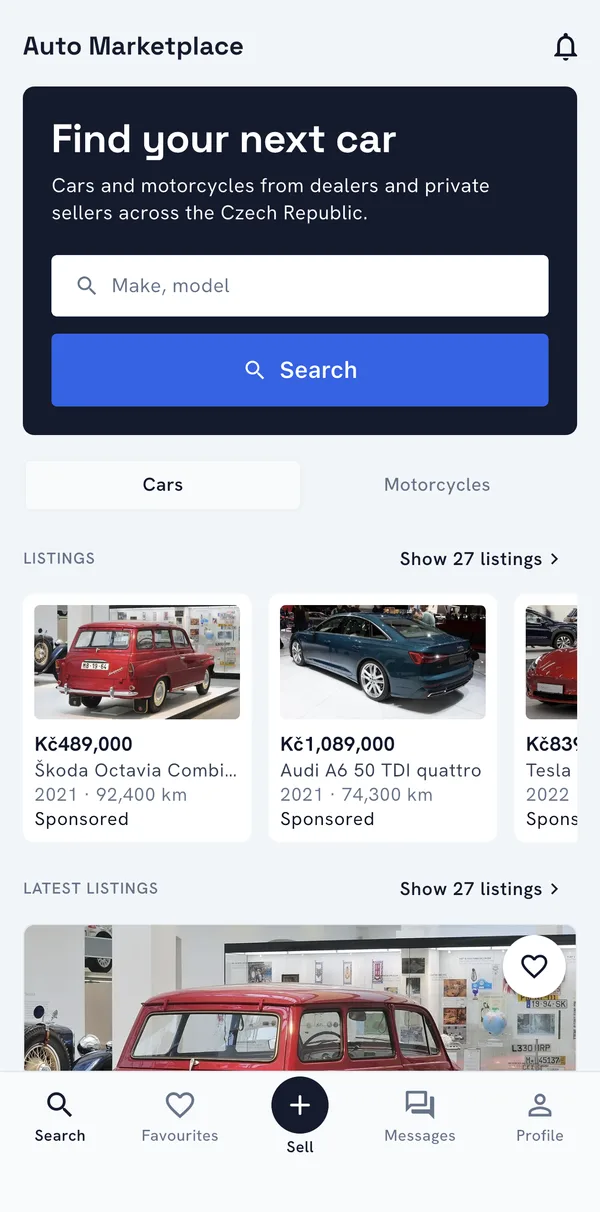
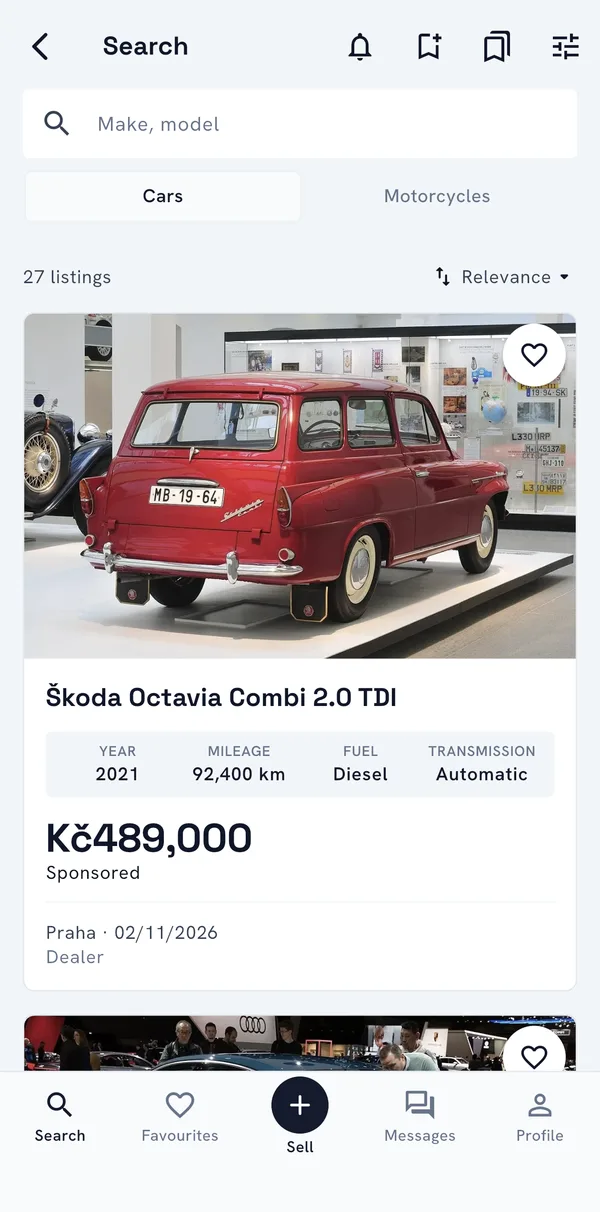
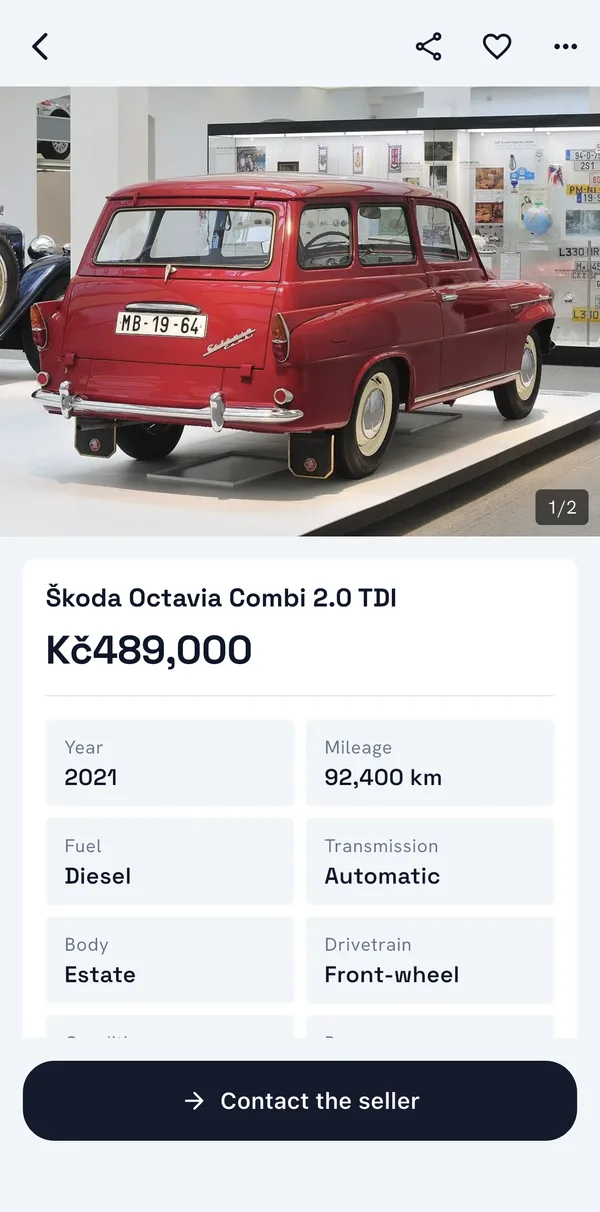
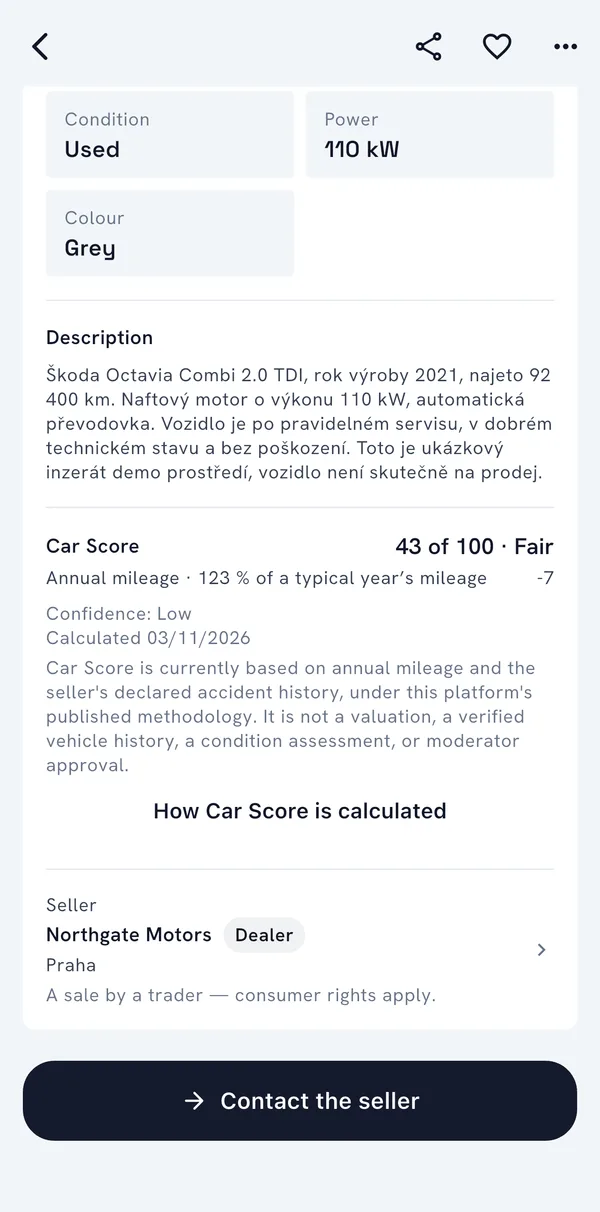
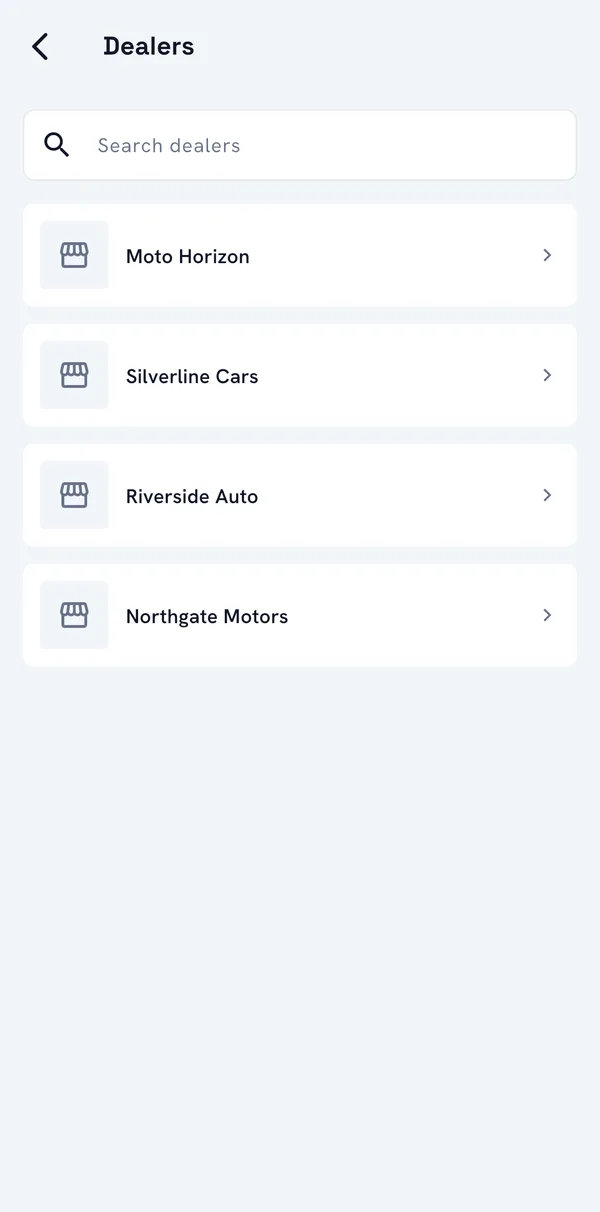
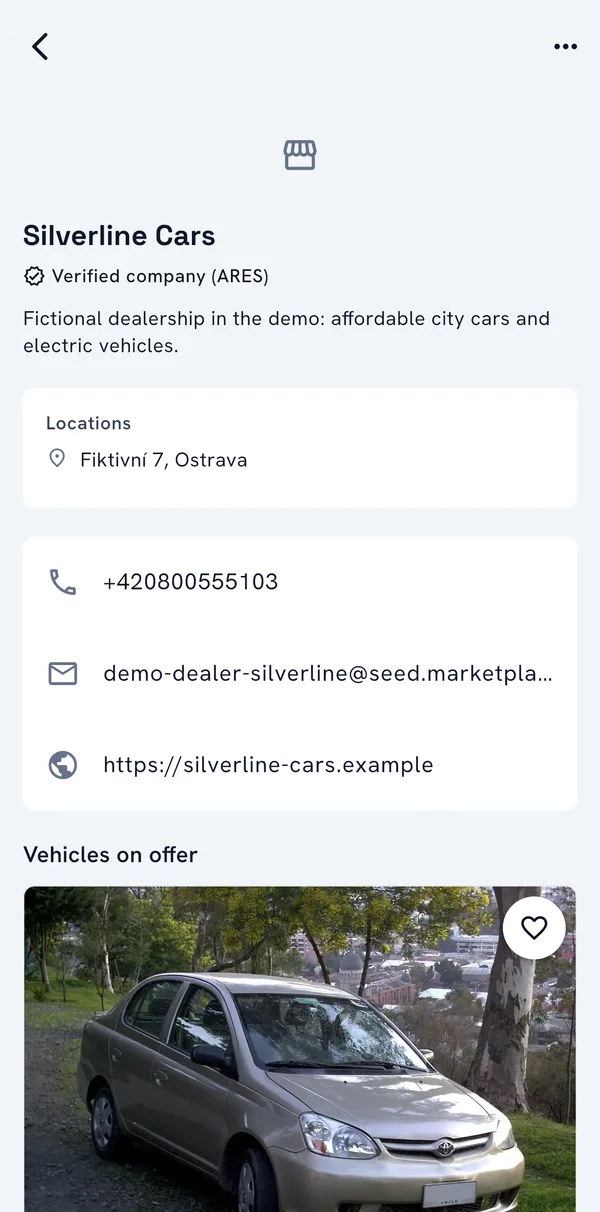
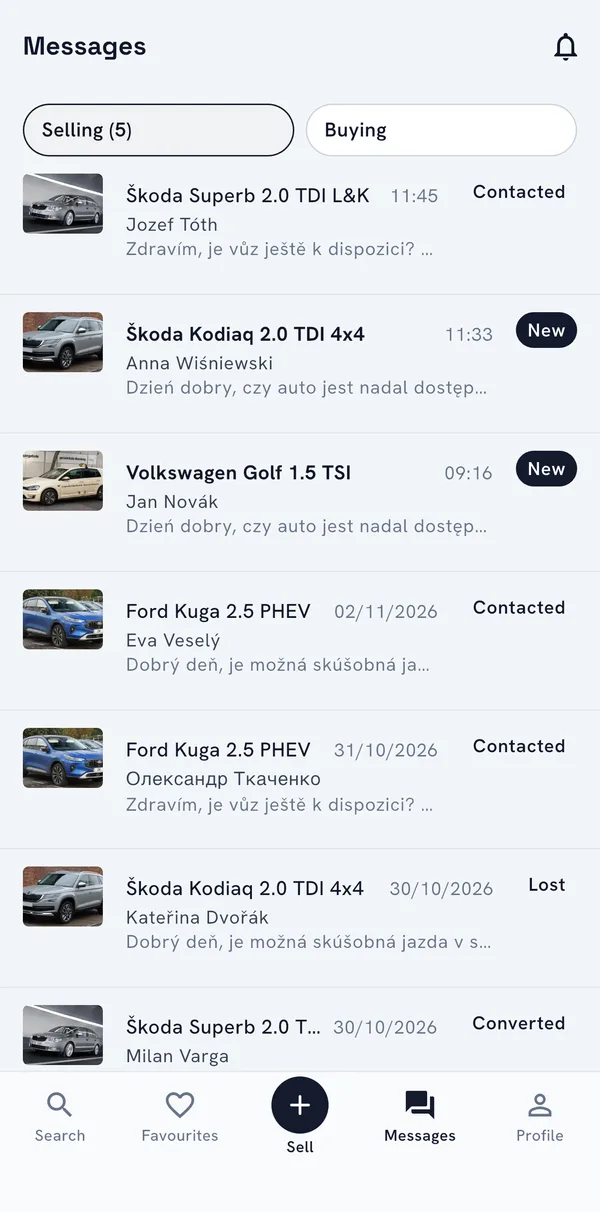
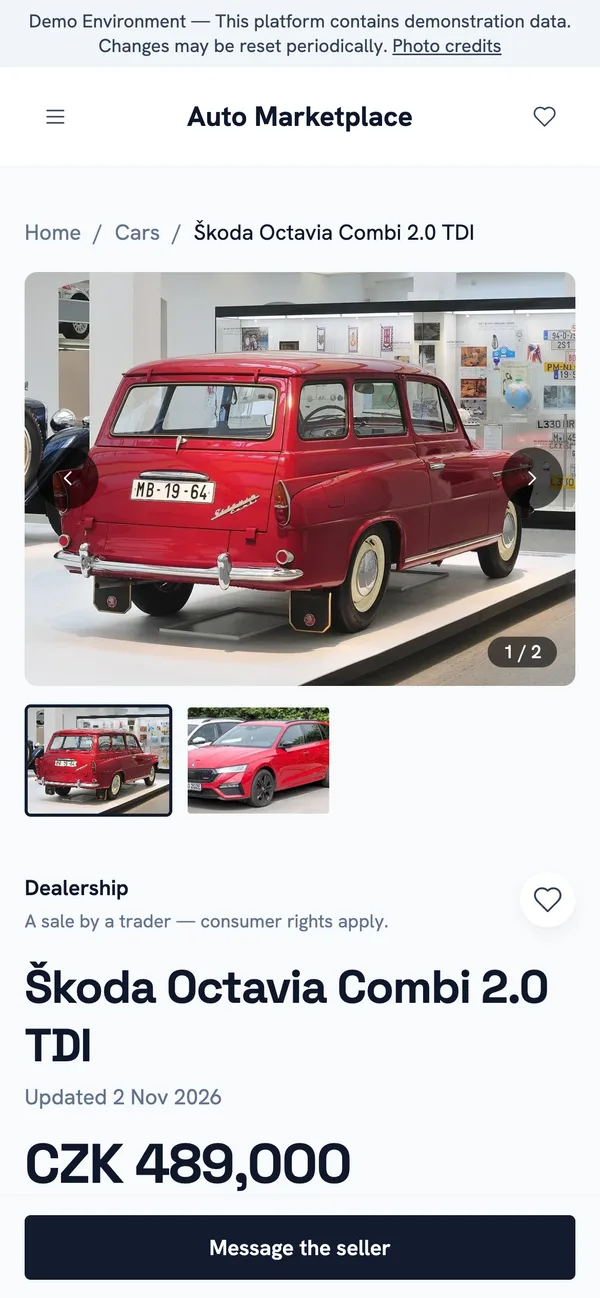
The website works the same on a phone, with the search panel, filters in a drawer and the listing page laid out for one hand.
How it is built
- One API, a NestJS modular monolith on PostgreSQL. Every query is scoped to a tenant, so one installation serves several storefronts, and a storefront takes its tenant’s brand colour without a rebuild.
- Search on OpenSearch, kept in step through a transactional outbox and Redis streams. Background workers process photos, index listings, send notifications and compute Car Score.
- The website is Next.js with server rendering, built for search engines: one address per page, alternates for every language, a sitemap, structured data, and a 410 for a car that was sold.
- The back office is a separate Next.js app, and the mobile app is Flutter. One design system feeds all three.
- The website in Czech, English, Ukrainian, Slovak and Polish; the back office in Czech, English and Russian.
- Runs as Docker containers on a single server. The demo shares an ARM host with other projects under strict memory limits, and resets itself every night.
Facts
- Type
- Personal product
- Demo
- Live, reset every night
- Clients
- Website, back office, iOS and Android app
- Languages
- 5 on the website
- Stack
- TypeScript, NestJS, Next.js, Flutter, PostgreSQL, Prisma, Redis, OpenSearch, Docker
Links