Project
Lead Intake Automation
Every Google Form submission becomes a Trello task, a Telegram alert, a calendar reminder and a CRM contact, instantly.
Overview
Leads from a Google Form were processed by hand: copying data to spreadsheets, creating Trello tasks, notifying the team, adding reminders and creating contacts in Agile CRM. It was slow and error-prone, and tasks were missed. The goal was instant processing across all these systems with no manual steps.
How the workflow runs
- A new form response arriving in Google Sheets triggers the workflow immediately.
- The data is normalised first: clean field names and consistent dates, phone numbers and names for every integration.
- A Trello card is created in the chosen board and list with the client’s name, the request and the deadline, labelled by request type.
- The team receives a Telegram message with the lead’s details, and a Google Calendar event is created for the deadline or follow-up.
- The client is added to Agile CRM with all form details, tagged with the lead source and ready for later email campaigns.
Results
- Every lead is processed instantly, with no manual work.
- Response time to new inquiries dropped from hours to seconds.
- No missed tasks thanks to automatic calendar reminders; every lead is saved in the CRM.
Workflows
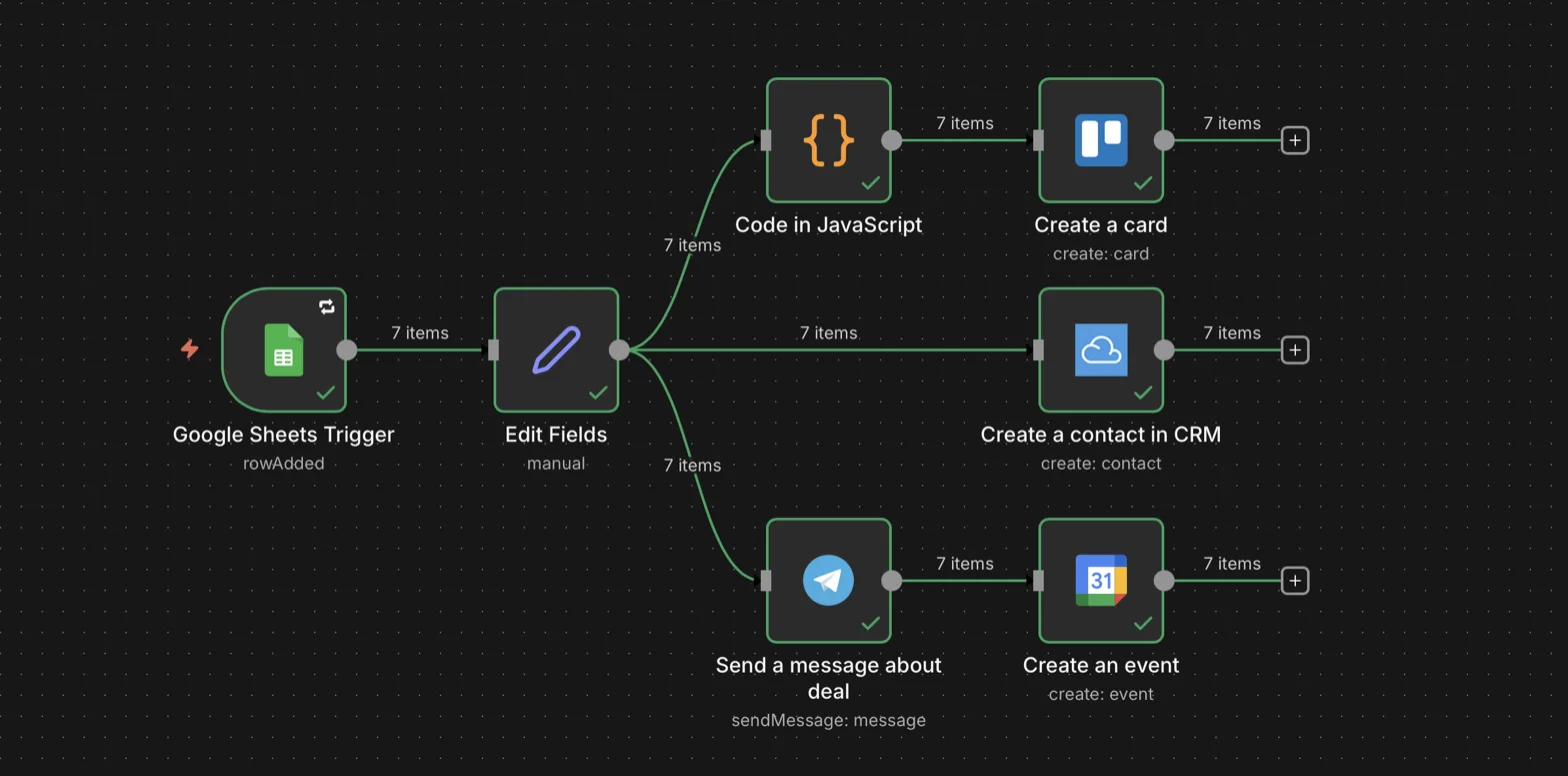
One form response fans out to Trello, Agile CRM, Telegram and Google Calendar
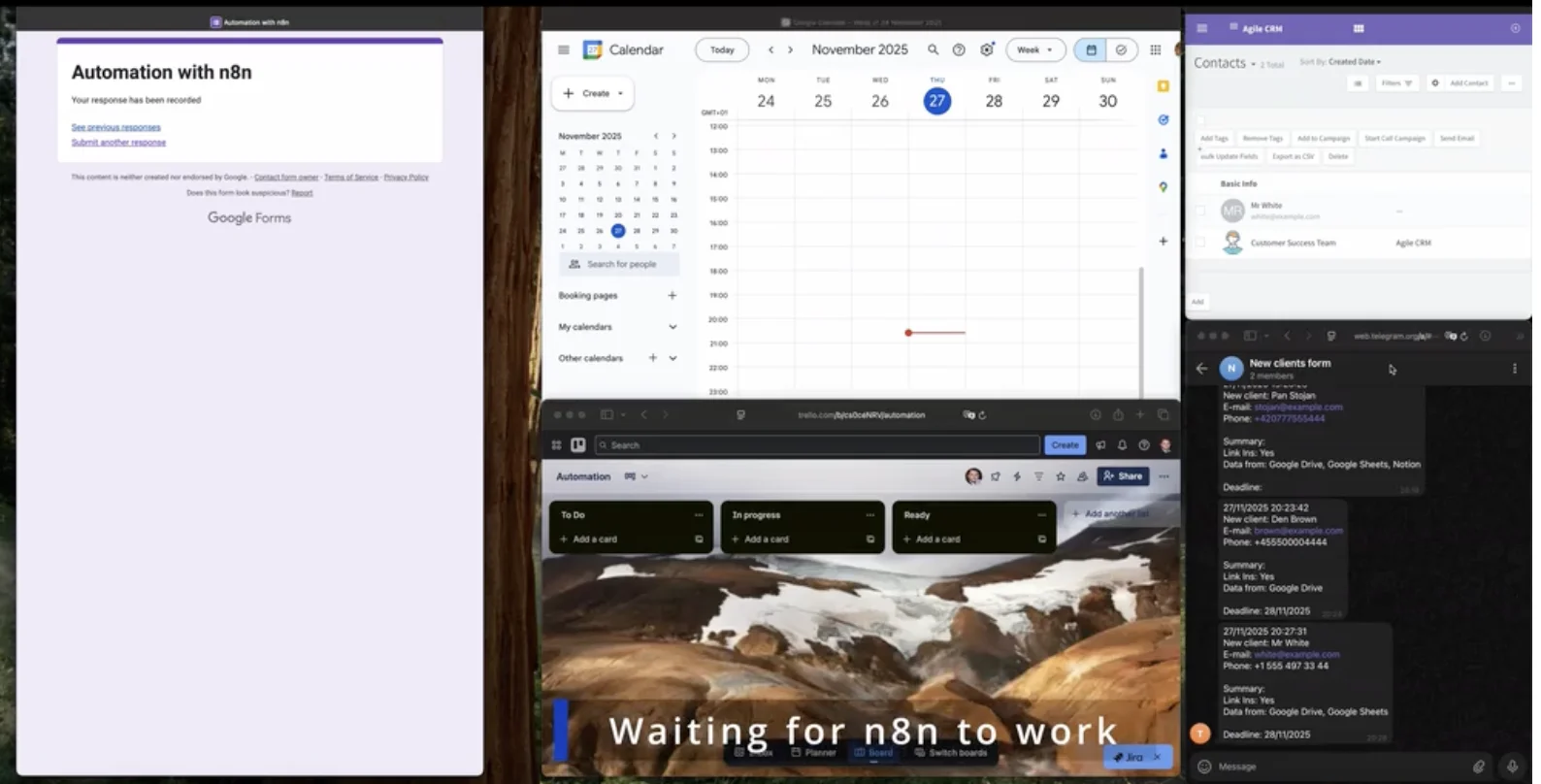
The submitted form, Google Calendar, the Trello board, the Agile CRM contact and the team’s Telegram alerts
Facts
- Type
- Client project · n8n automation
- Role
- Automation engineer
- Published
- November 2025
- Stack
- n8n, Google Forms, Google Sheets, Trello, Telegram Bot API, Google Calendar, Agile CRM
Links