Shinkarenko
Menu

Restaurant Platform · online ordering and table booking

Orders and table bookings on the restaurant’s own website.

A trilingual website with the menu, ordering for pickup and delivery, table reservations and an admin panel where staff run the day — in one system.

Open the live demoOpen the admin panel

Restaurant Platform is a website, online ordering system and admin panel for a single restaurant. Guests browse the menu, order for pickup or for delivery to the restaurant’s own zones and book a table; staff confirm orders and bookings and edit the menu and opening hours, and every change shows on the site within seconds. It was built and delivered as a commercial project for a restaurant; the demo runs on invented data.

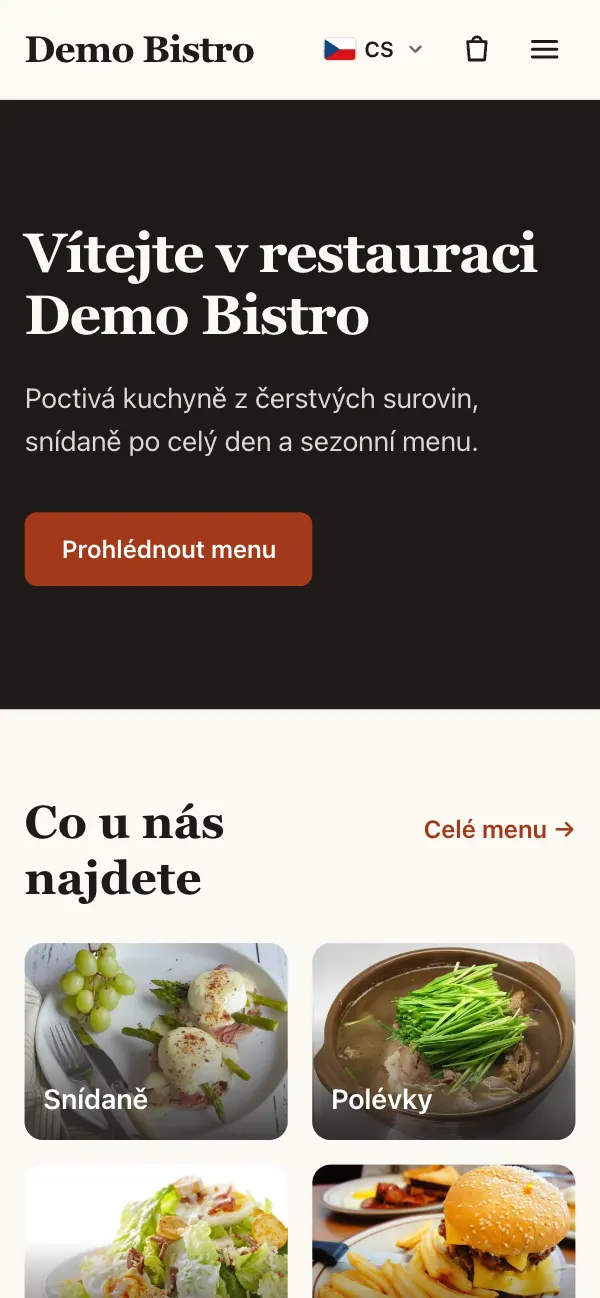
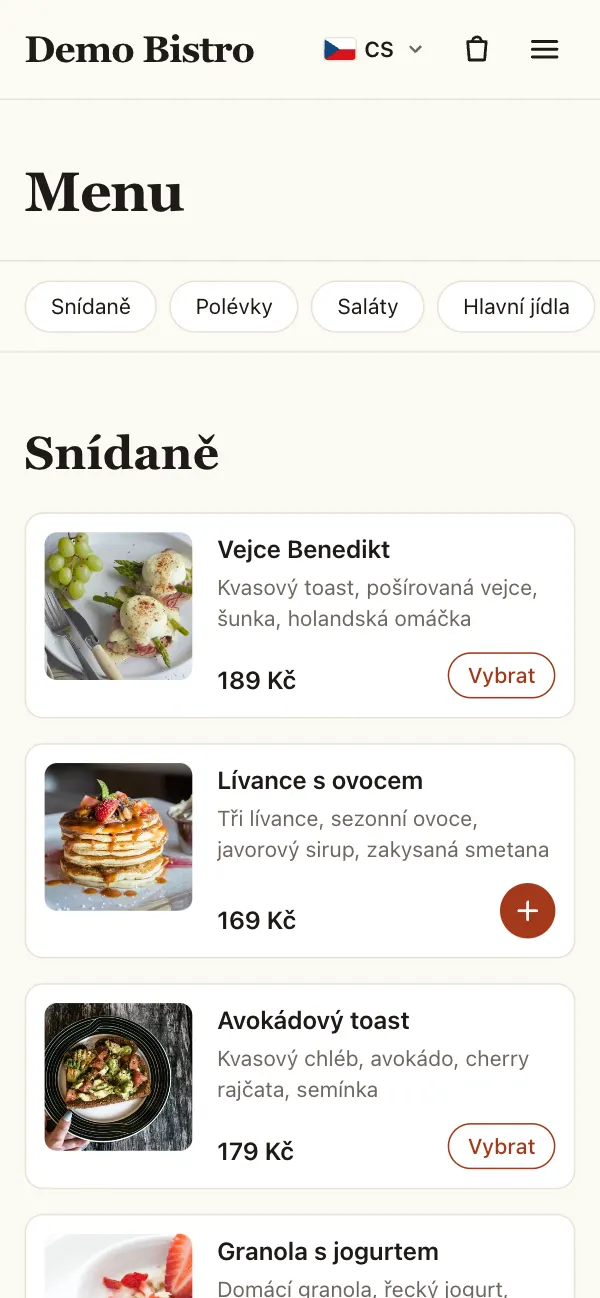
The demo restaurant’s home page on a phone, with test dataThe menu with dish photos, prices and add-to-cart buttons on a phone, with test data

Order a dish, then confirm it as staff

The demo runs the production build for a fictional restaurant, Demo Bistro: an invented menu, public-domain photos and test guests. New orders and bookings arrive every hour and move through the kitchen on their own, so the admin panel always has today’s work. Emails and online payment are switched off. The demo account is a manager: orders, bookings, the menu and opening hours; settings and staff accounts stay with the owner. Nothing is reset, so what you change stays for the next visitor.

Demo access

Manager login
manager@example.com
Password
Restaurant-Demo-2026

Delivery apps own the guest. Phone bookings live in a notebook.

  • An order placed through a delivery app belongs to the app: the guest’s contact, the order history and a fee on every order.
  • Bookings taken by phone end up on paper, and nobody sees how full the evening already is.
  • A new dish, a sold-out item or holiday hours have to be changed in several places by hand.

Restaurant Platform puts ordering and booking on the restaurant’s own website and gives staff one admin panel for orders, bookings, the menu and opening hours. Delivery partners stay linked for the areas the restaurant does not deliver to itself.

What guests and staff get

A menu guests can order from

  • Categories and dishes with photos, descriptions and prices including VAT, with separate rates for food and drinks.
  • Options with surcharges — sides, sauces, extras — including choices the guest must make.
  • Allergens, sold-out and hidden dishes, and a special price for a set period.
  • Alcohol is marked on the dish and sold to adults only.
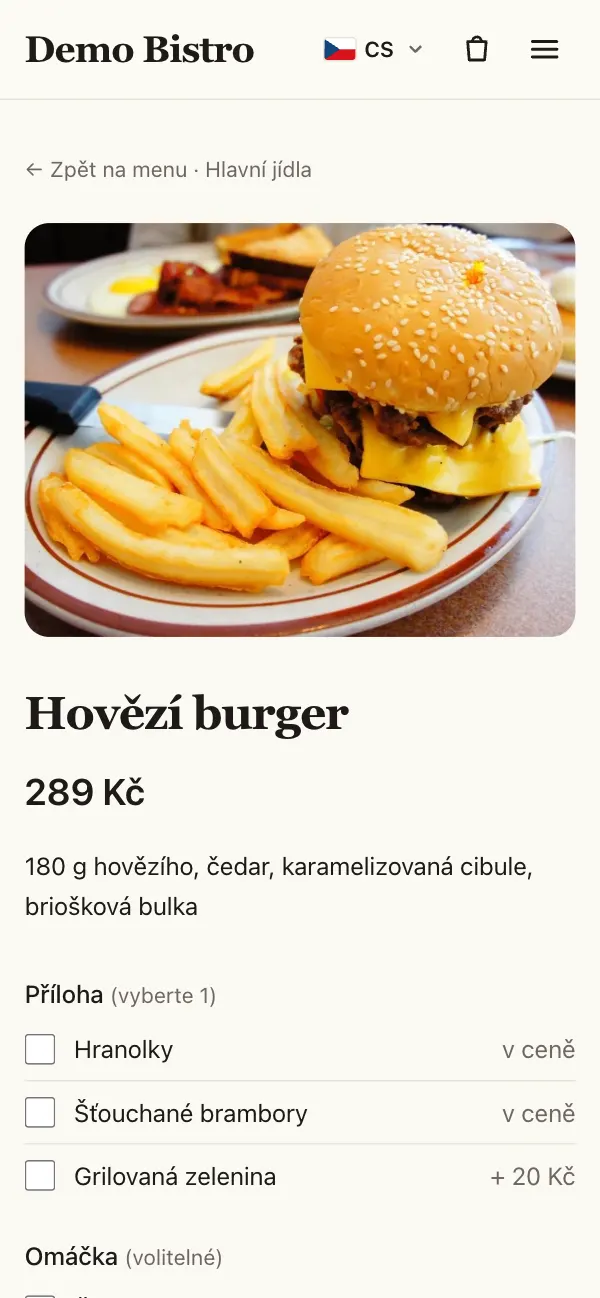
A dish with its photo, price and a required choice of side, with test data

Pickup and delivery

  • The guest chooses pickup or delivery; delivery zones are set by postal code, each with its minimum order, fee and hours.
  • Time slots with a capacity per slot, or as soon as possible when the kitchen allows it.
  • Payment in cash or by card on handover, or online through the Comgate payment gateway.
  • The server prices every order again and refuses one whose total has changed since the guest saw it.
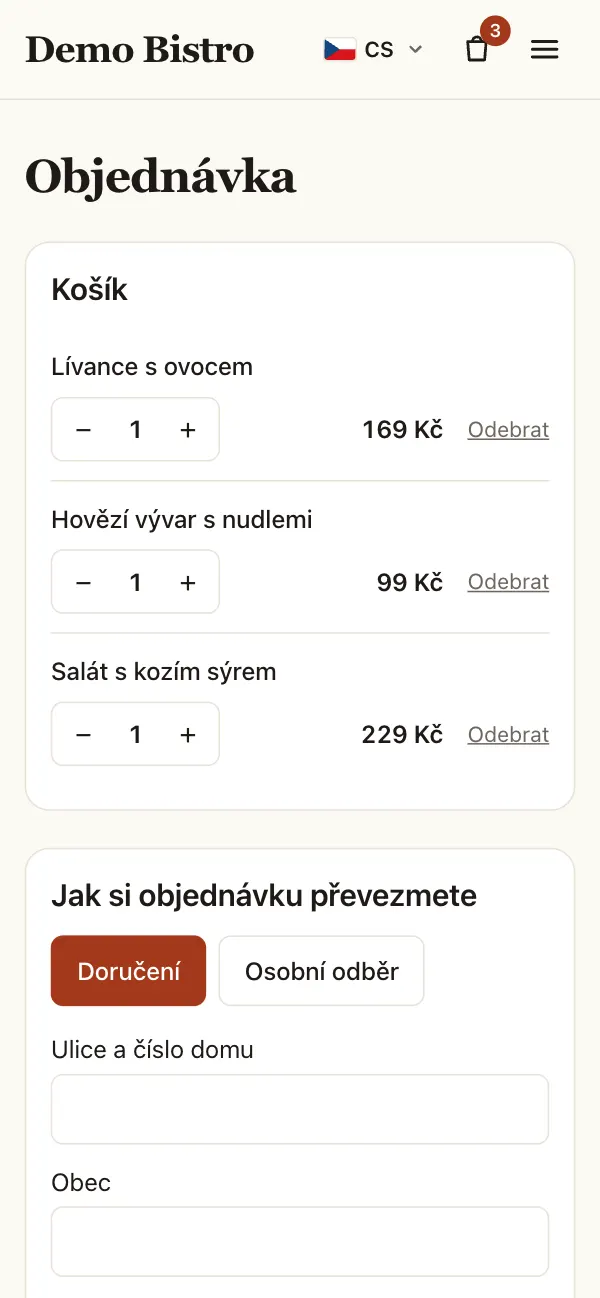
The cart with three dishes and the choice between delivery and pickup, with test data

Table booking

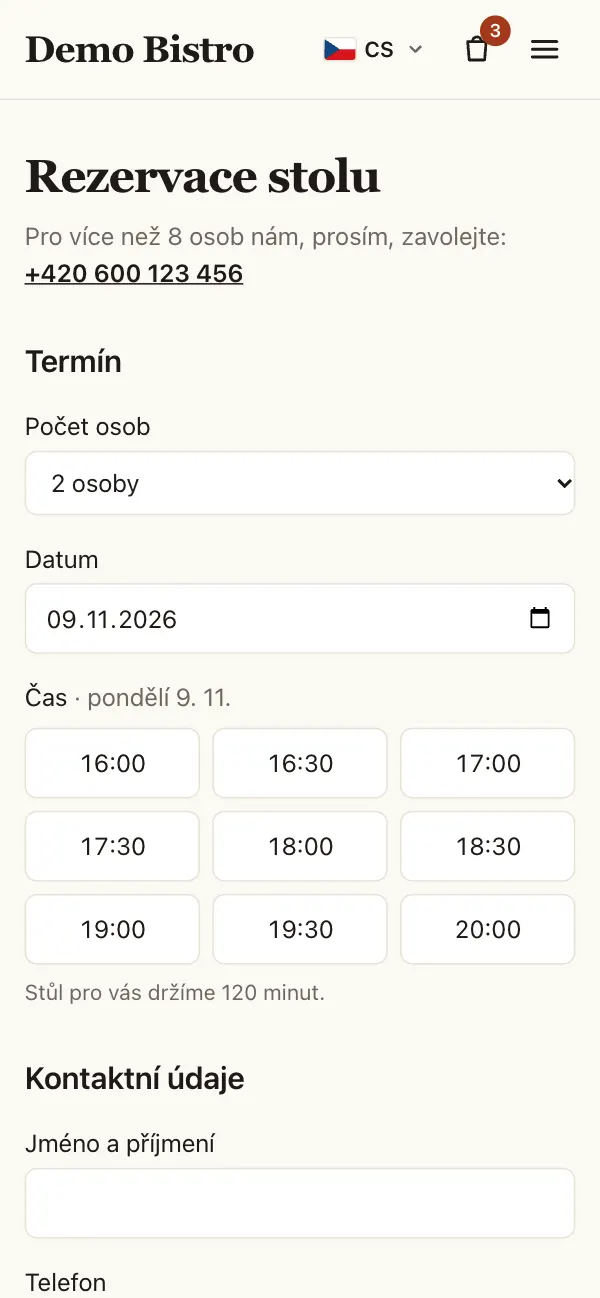
  • The guest picks the party size and the date and sees only the times that are still free.
  • A suitable table is assigned automatically; larger groups are asked to call.
  • The confirmation contains a link for cancelling until the deadline the restaurant sets.
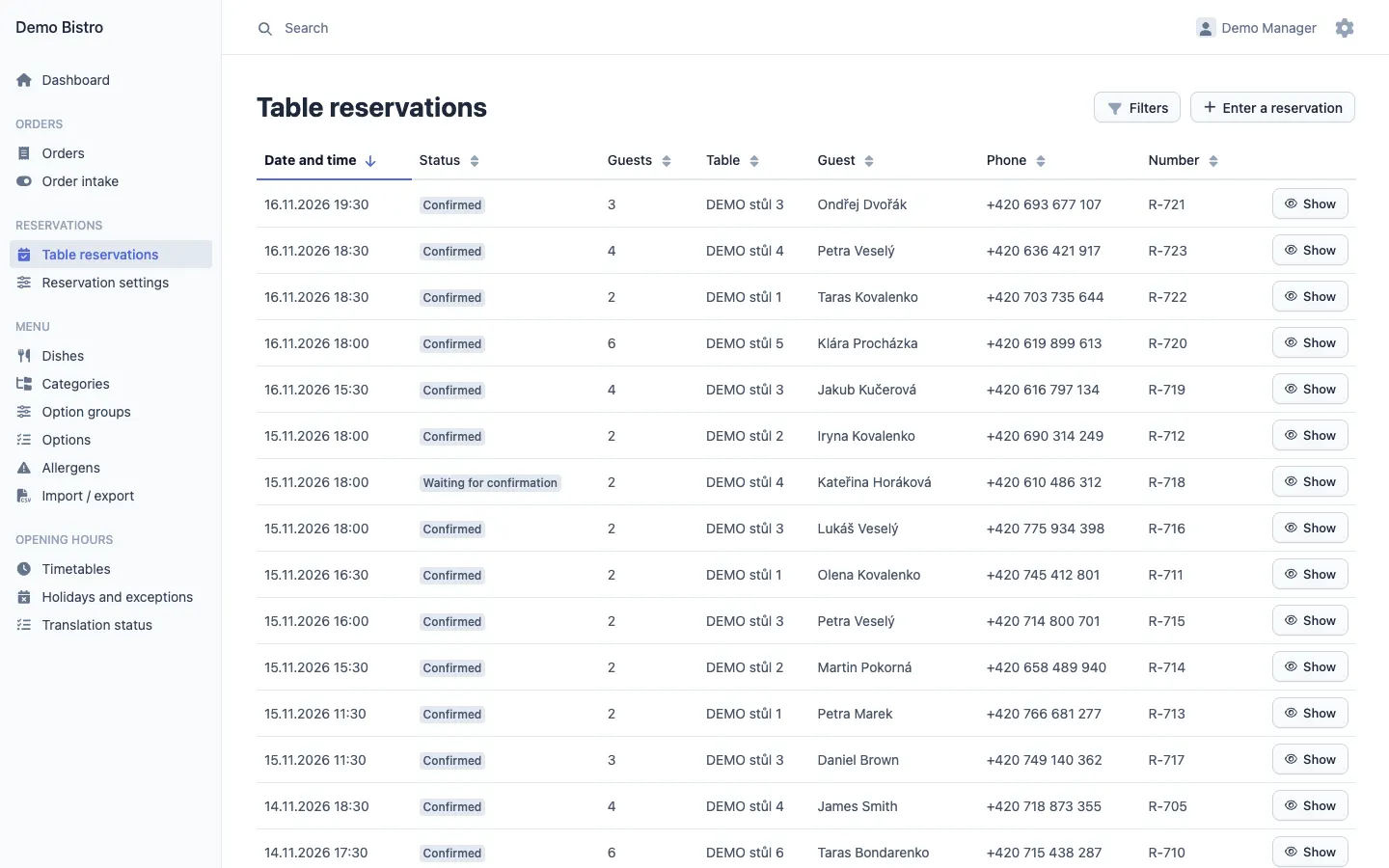
  • Staff enter bookings taken by phone in the admin panel, against the same tables.
Booking a table: party size, date and the free times, with test data

An admin panel for the day

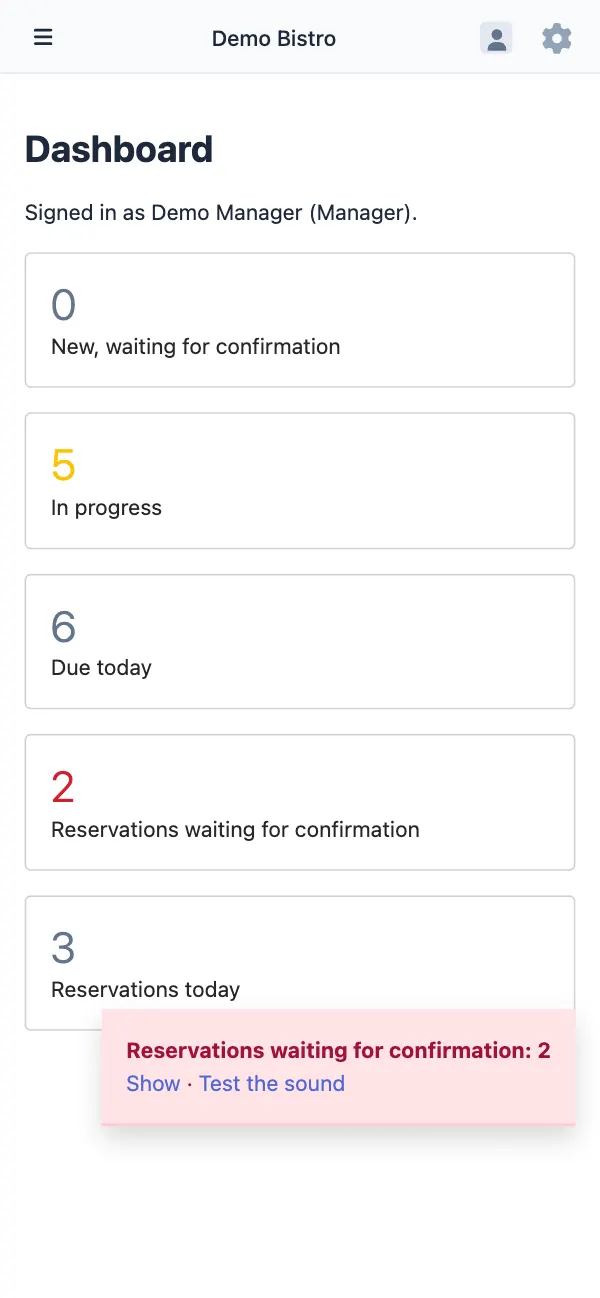
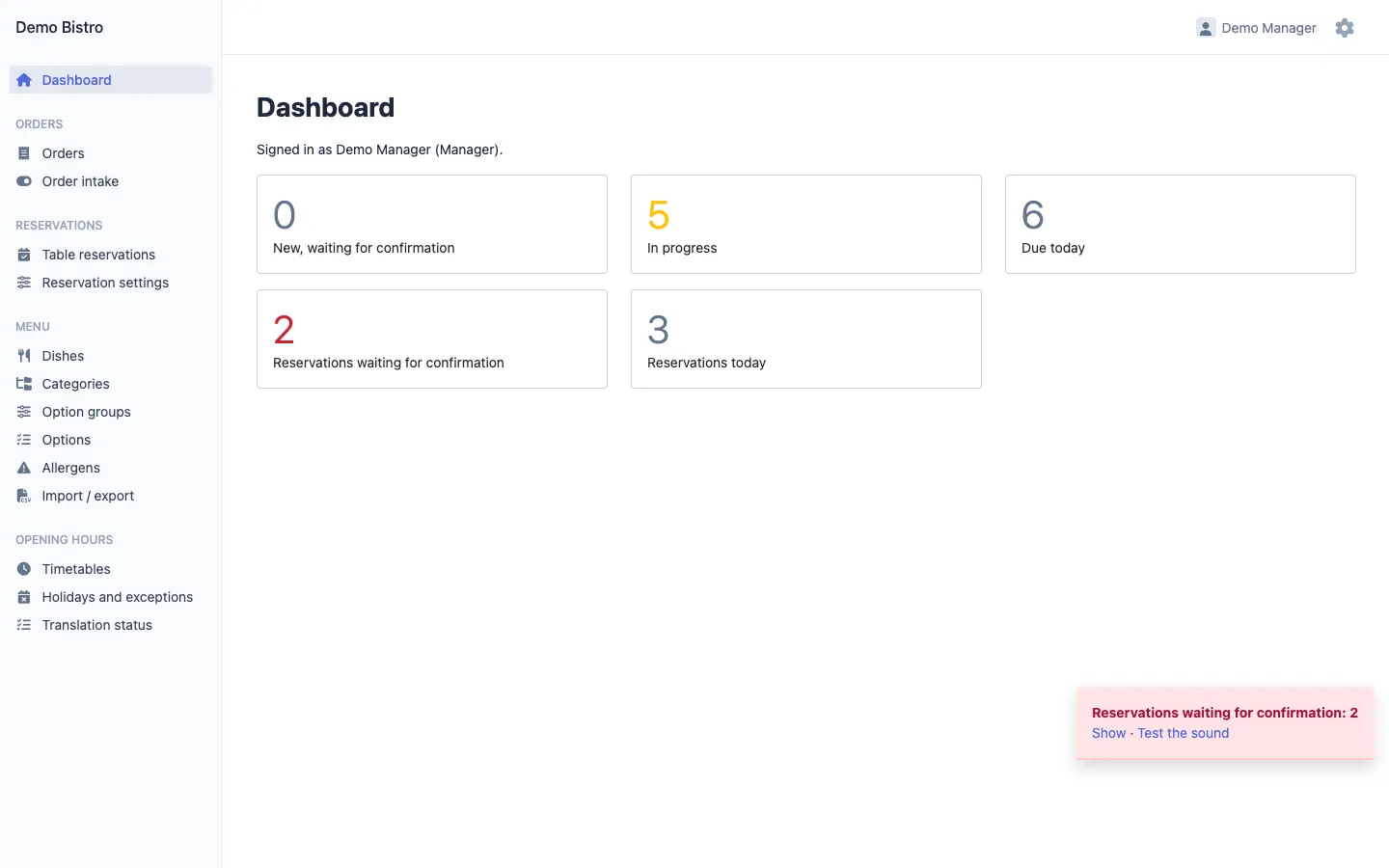
  • The dashboard shows new orders, orders in progress, orders due today and bookings waiting for an answer.
  • A new order or booking sends an e-mail and sounds an alert in the open admin panel.
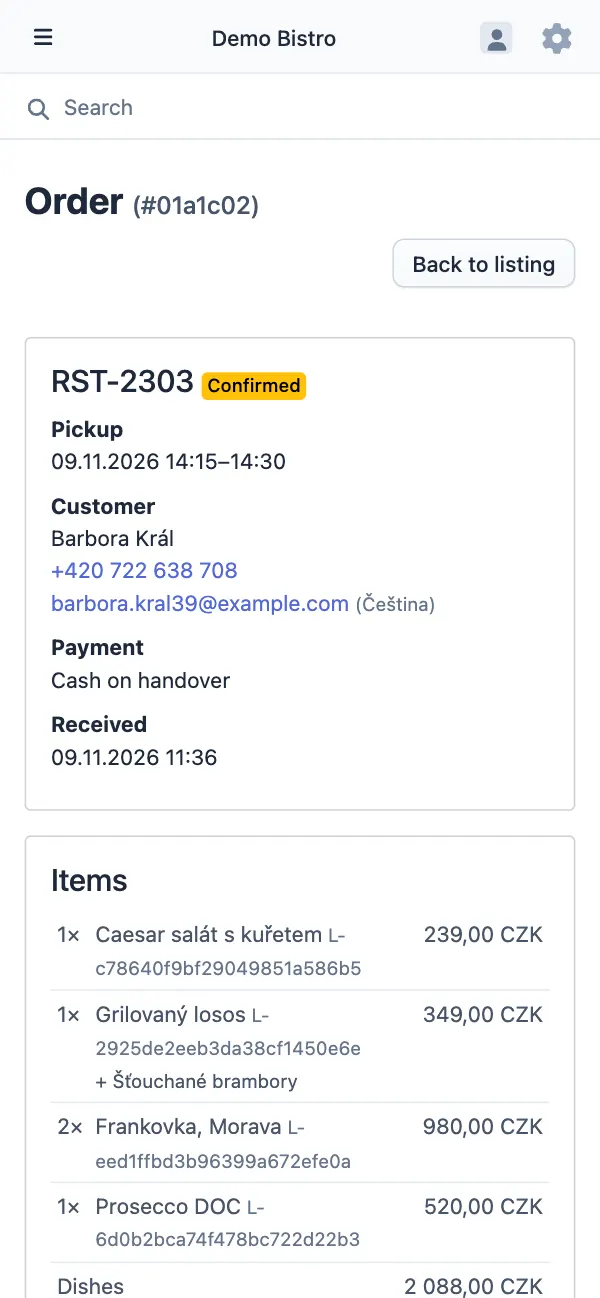
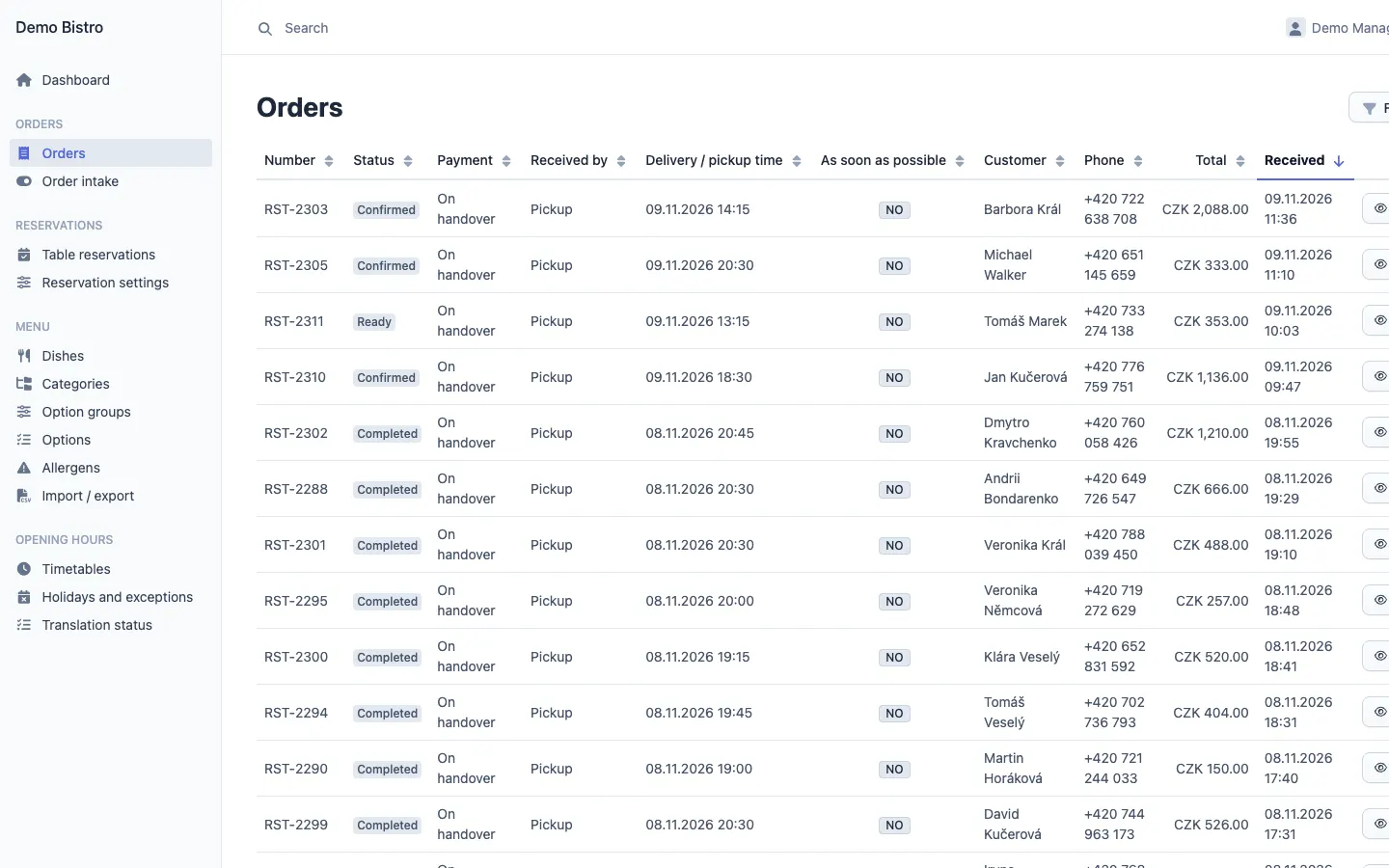
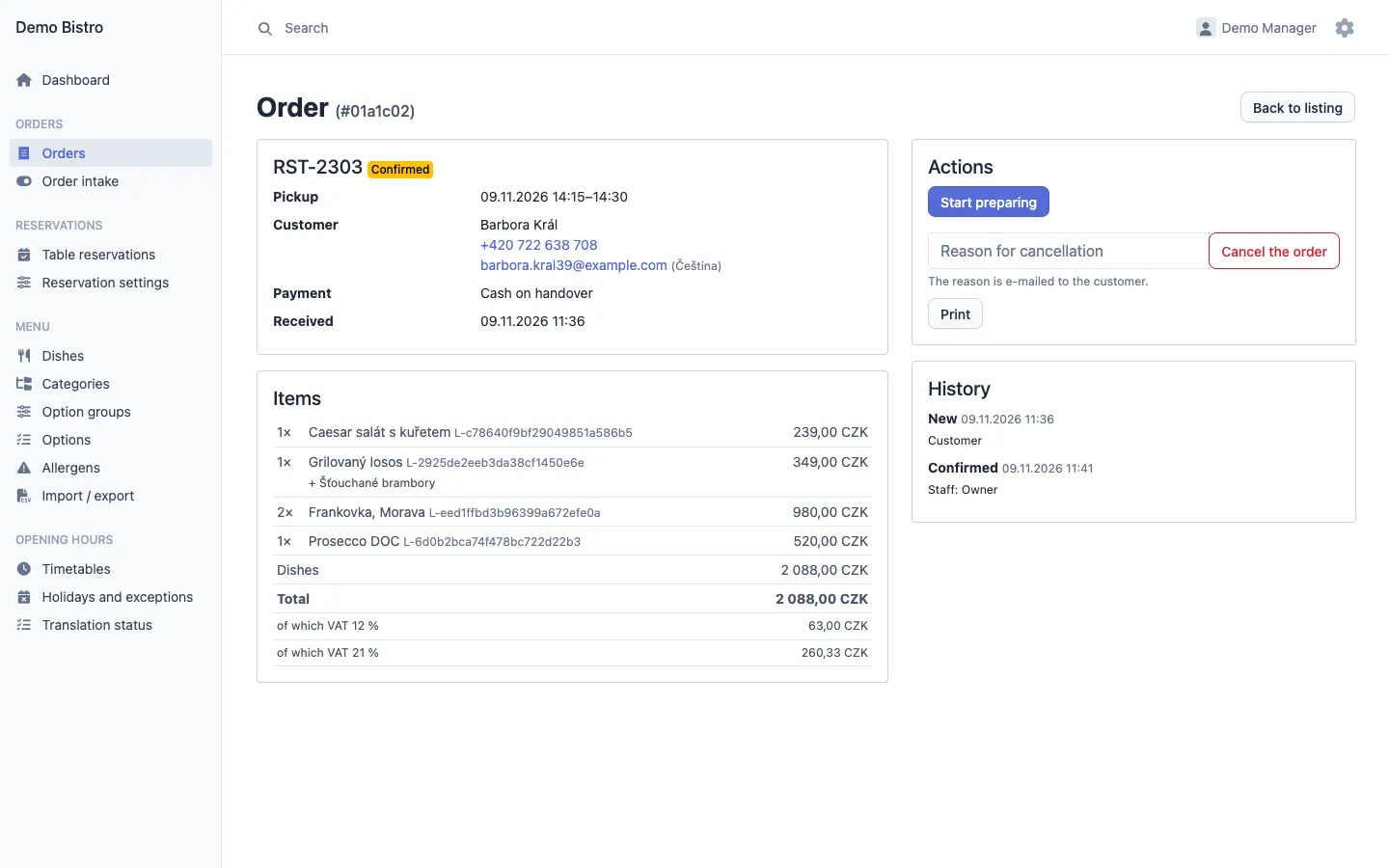
  • Orders move through confirmed, preparing, ready, out for delivery and completed; a cancellation needs a reason, which the guest receives.
  • Each order can be printed for the kitchen, and its history shows who changed what and when.
The admin dashboard with orders and bookings waiting, and the alert for pending bookings, with test dataAn order in the admin panel with the customer, payment and items, with test data

Menu, hours and content without a developer

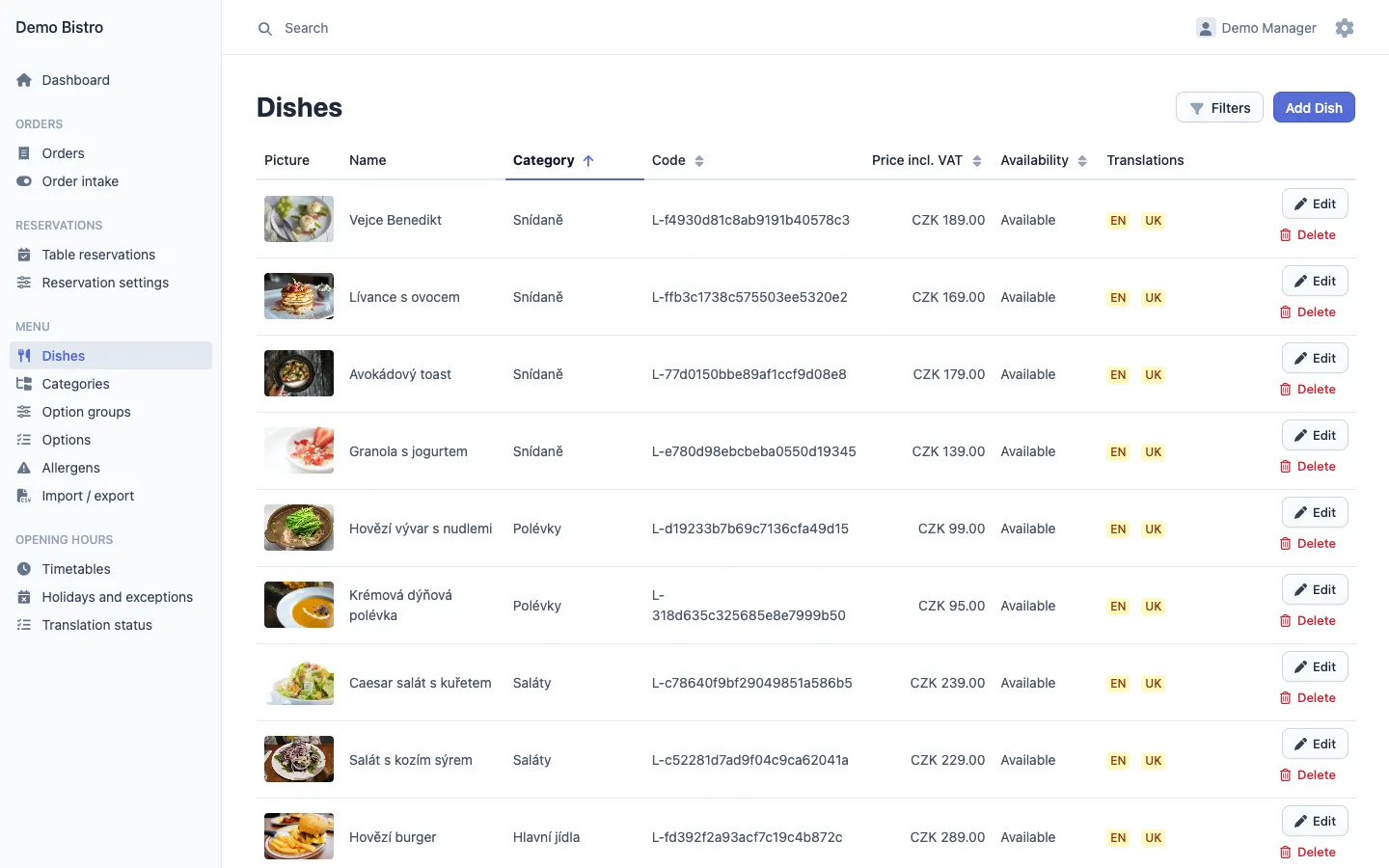
  • Dishes, categories, options and allergens, with a CSV import and export of the whole menu.
  • Timetables for opening hours, pickup, delivery and bookings, plus holidays and other exceptions.
  • Banners, the gallery, text pages and the website’s own texts, with a report of missing translations.
  • A save shows on the website within seconds, without a deploy.
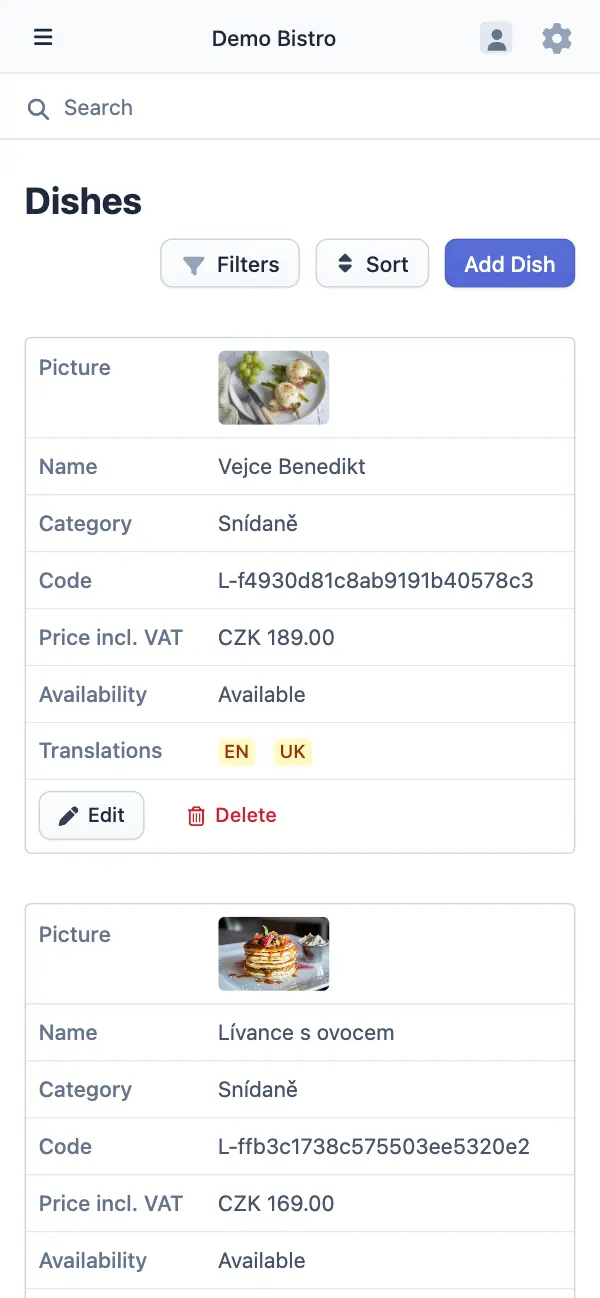
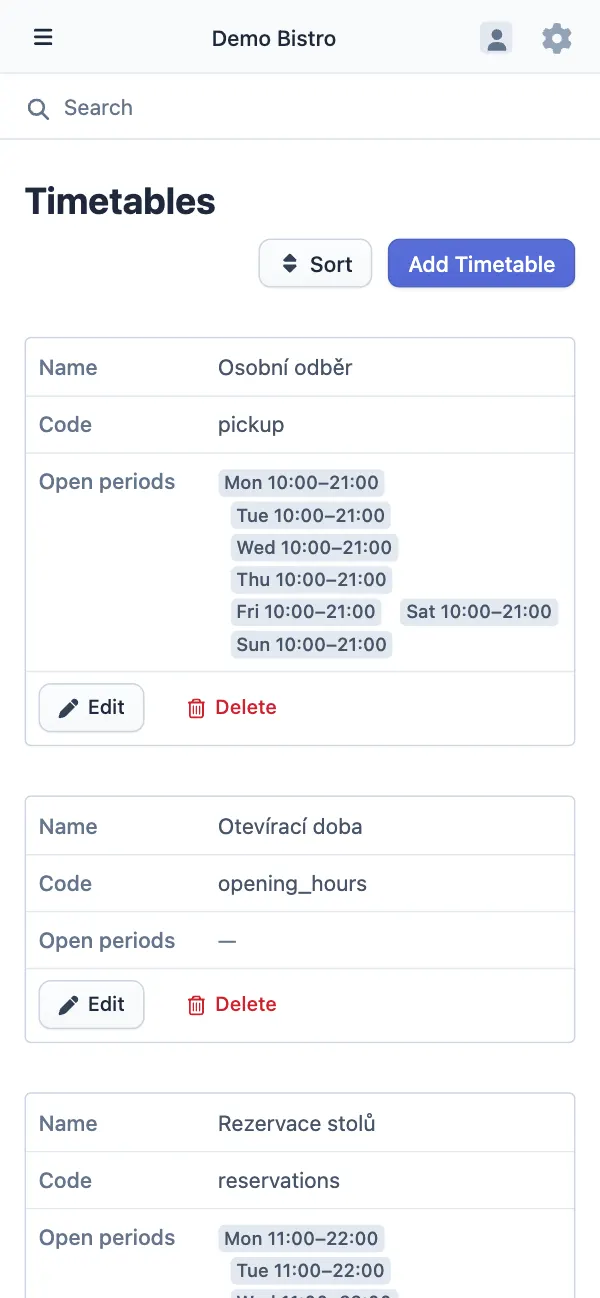
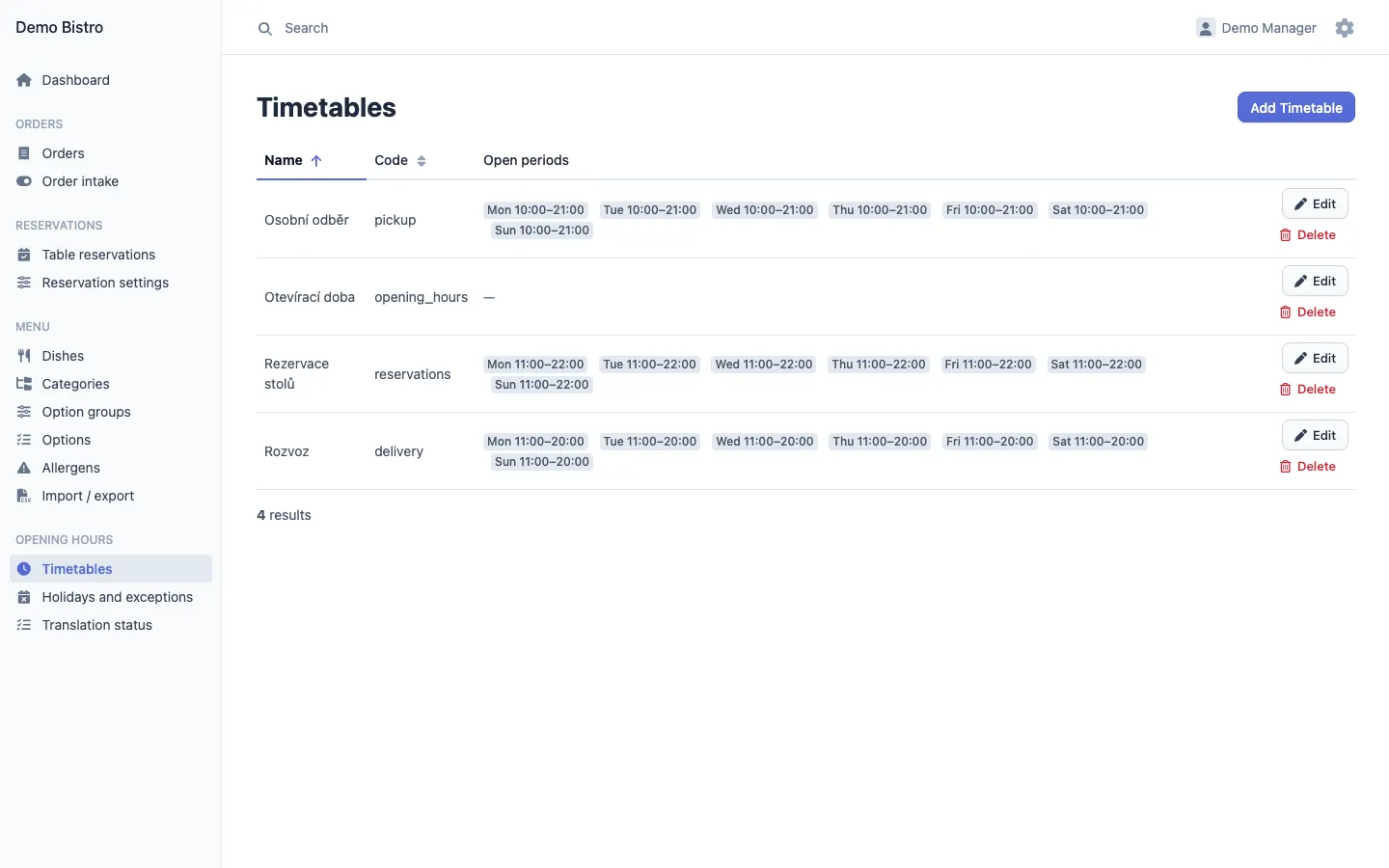
The dish list in the admin panel with photos, prices and translation status, with test dataTimetables for pickup, opening hours, bookings and delivery in the admin panel, with test data

Three languages, built for search

  • The website in Czech, English and Ukrainian, each page with its own address and language alternates.
  • A sitemap and structured data for the restaurant and its menu, generated from the content.
  • The admin panel in Czech, English, Russian and Ukrainian, switched in its settings menu.
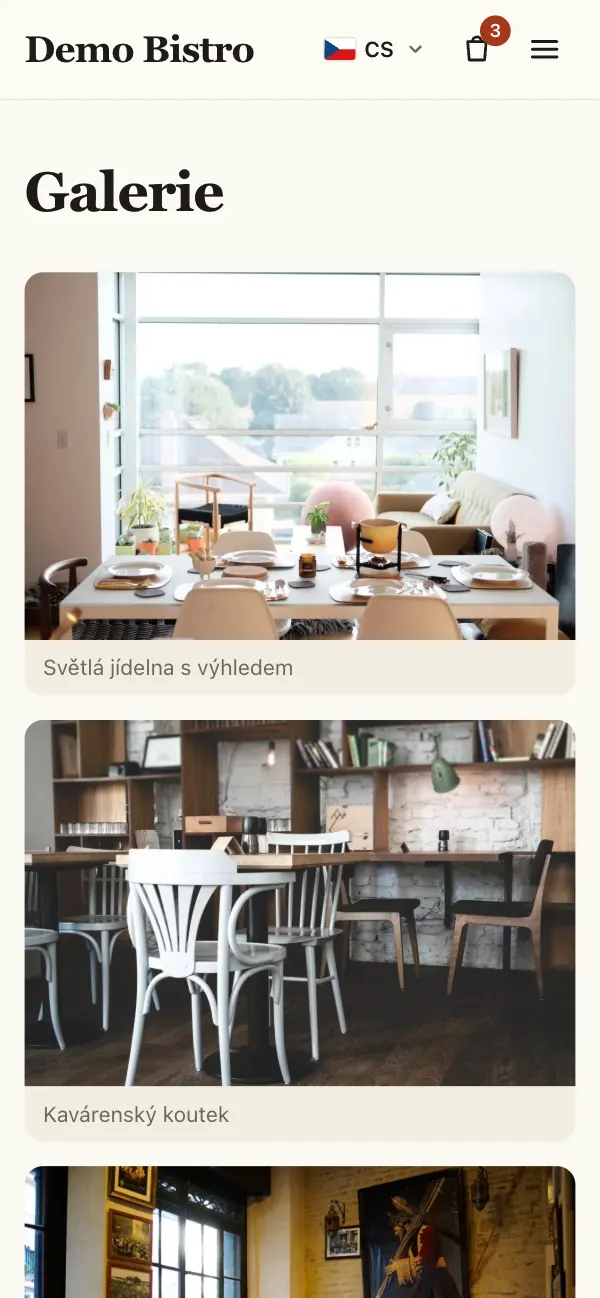
The gallery page with captioned photos of the restaurant, with test data

From the cart to the counter

  1. The guest orders

    Dishes and options, pickup or delivery, a time slot, and payment on handover or online. The guest gets an e-mail with a link to follow the order.

  2. Staff are alerted

    The kitchen receives an e-mail, and the open admin panel shows a banner and plays a sound.

  3. The kitchen moves it on

    Confirmed, preparing, ready, out for delivery, completed. The guest is e-mailed when the order is confirmed, and with the reason if it is cancelled.

Guest data handled with care

The platform keeps only what an order, a booking or a message needs, and removes personal data once it is no longer needed.

  • Names, phone numbers and e-mails are anonymised automatically after a retention period the owner sets, 24 months by default.
  • A guest who asks to be forgotten is anonymised in orders, bookings and messages with one command.
  • Four roles — owner, administrator, manager and content editor; every admin action is checked on the server and written to an audit log, with secrets redacted.
  • Online payments are made on the payment gateway’s page; card details never reach the restaurant’s server.
  • Google Analytics runs only when it is configured and the visitor agrees; without it there is no cookie banner at all.

Frequently asked questions

Is this a template or a custom build?

A custom build for one restaurant, shown here with invented data. Nothing about the business is in the code: the menu, hours, delivery zones, texts and payment methods live in the admin panel, so the same system can be set up for another restaurant.

Does it work with Wolt or Foodora?

As links: for areas the restaurant does not deliver to itself, the website sends guests to its page with the delivery partner. Orders are not passed to the partners through their APIs.

Which payments are supported?

Cash or card on handover, and online payment through Comgate, a Czech payment gateway. Payment providers sit behind one interface, so another gateway can be added without changing the checkout. Online payment is switched off in the demo.

Does changing the menu or opening hours need a developer?

No. Staff change them in the admin panel, and the website shows the change within seconds.

Can I change things in the demo?

Yes, with the manager account: confirm orders, answer bookings, edit dishes and hours. Changes are seen by other visitors and are not reset, so please leave the menu usable.

Where does it run?

In Docker containers: the Symfony API on FrankenPHP, the Next.js website, PostgreSQL, a queue worker and Caddy, with daily database backups. The demo shares a server with other projects.

  • Symfony 8.1 on PHP 8.4 with Doctrine and PostgreSQL 18, and EasyAdmin for the admin panel. Each module — catalogue, ordering, delivery, payment, reservations, content, identity, privacy — has domain, application, infrastructure and UI layers, and Deptrac keeps the dependencies pointing downwards.
  • The website is Next.js 16 with React 19, TypeScript and Tailwind CSS, rendered on the server. Its API types are generated from the OpenAPI document, and CI fails when they are out of date.
  • Business values live in the database: code only declares which settings exist and how they are validated.
  • After a save in the admin panel, the API queues a message and a worker tells the website which cached pages to drop.
  • More than 470 backend tests, frontend unit tests and Playwright end-to-end tests of ordering and booking; static analysis, code style and module boundaries are checked in CI.
  • Docker images are built in GitHub Actions and released to production with database migrations; the stack sits behind Caddy.
Type
Client project, shown with invented data
Demo
Live, new orders and bookings every hour
Website
Czech, English, Ukrainian
Admin panel
Czech, English, Russian, Ukrainian
Stack
PHP, Symfony, Doctrine, EasyAdmin, PostgreSQL, Next.js, React, TypeScript, Tailwind CSS, Docker, Caddy

See it working.

Order a dish or book a table on the demo, then sign in to the admin panel and answer it.

Open the live demo